Your classes and the timetable
See the classes you are enrolled in, when the next one is, and the gym's full weekly timetable.
If your gym runs group classes, Schedule shows the classes you are booked into this week and the gym's full weekly timetable.
Open your schedule
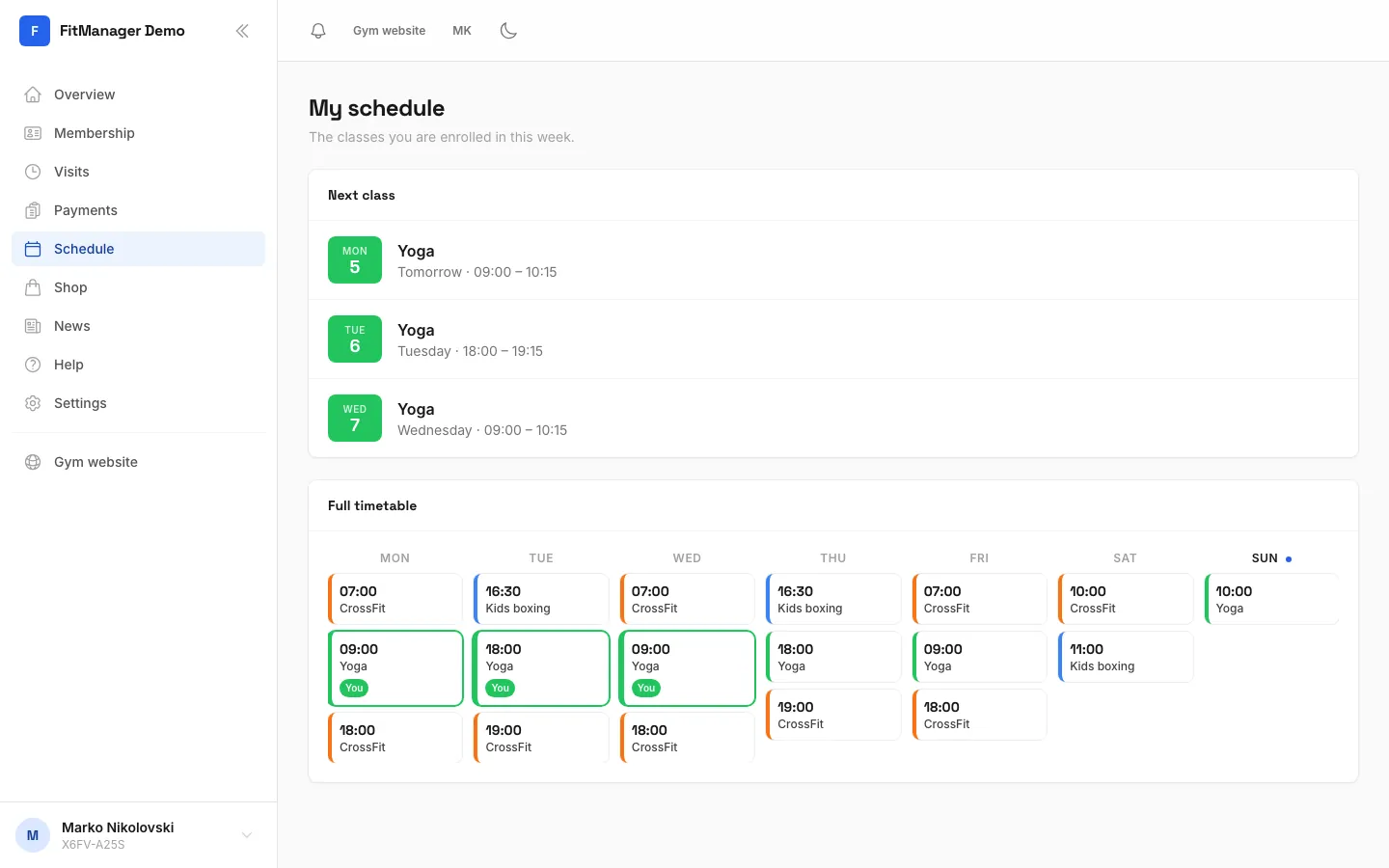
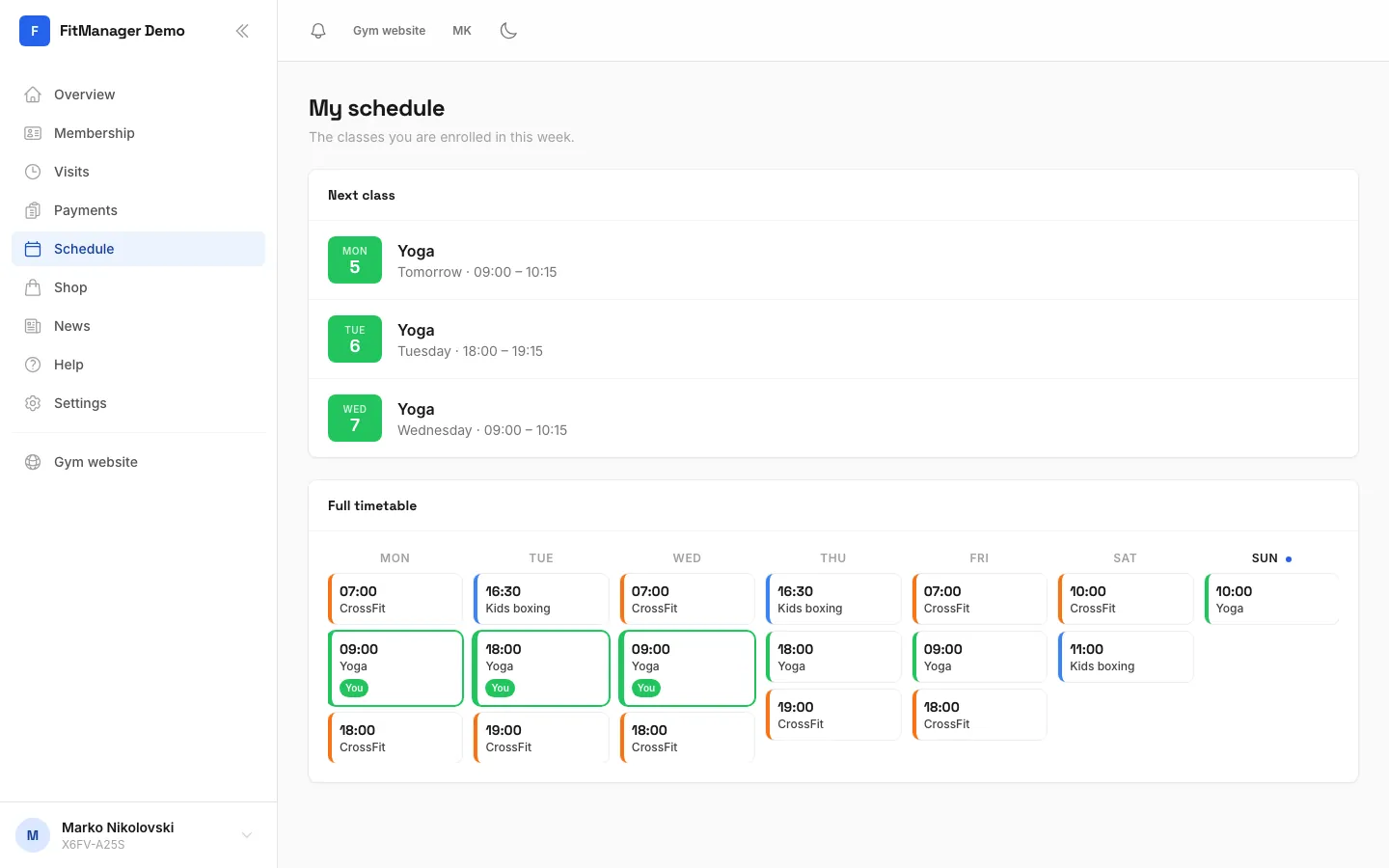
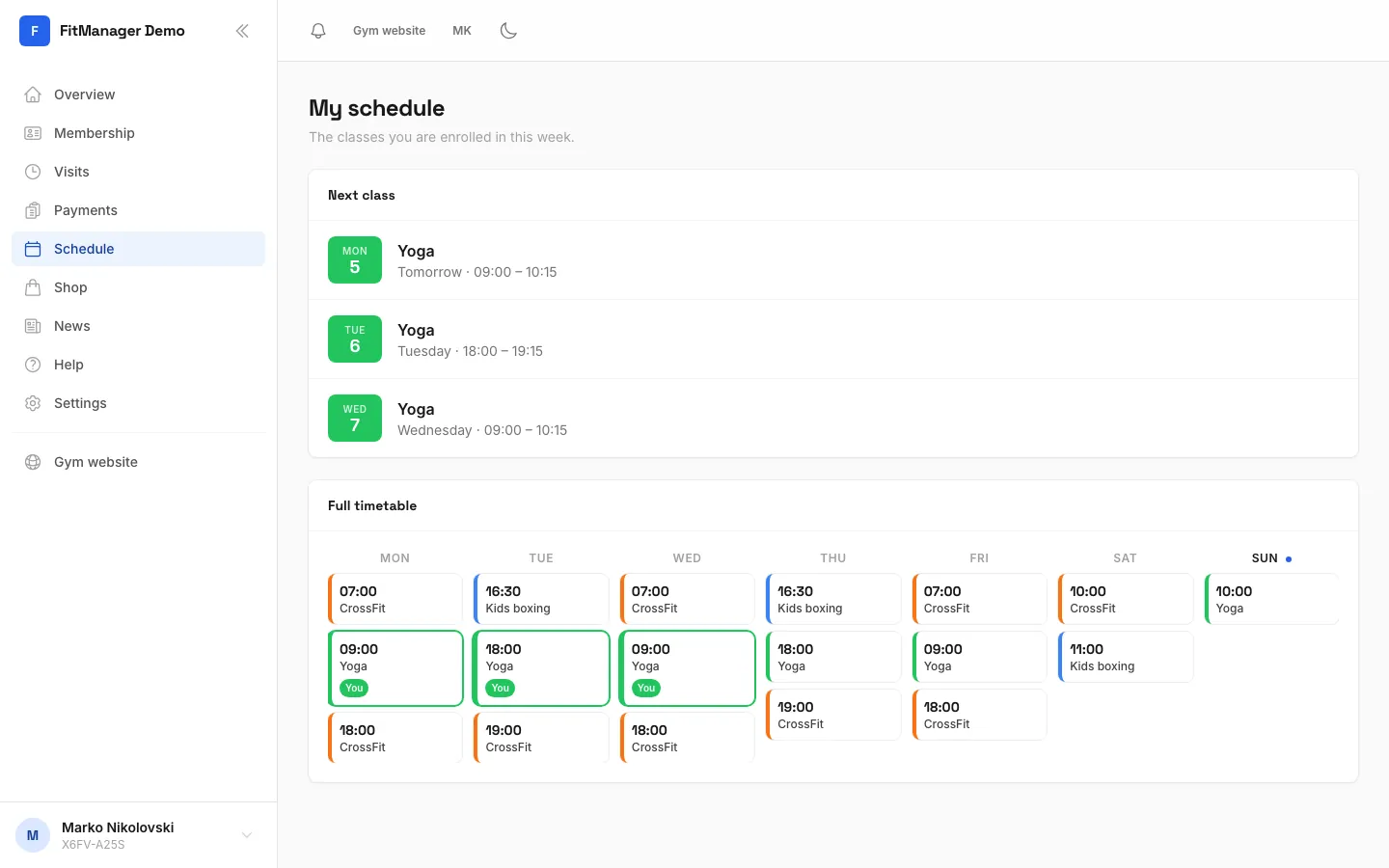
Open Schedule in the menu. The page is called My schedule. Your next classes also appear on the Overview under Next class.
Your classes
The Next class list shows every class slot you are enrolled in, soonest first. Each one shows the day, the start and end time and the coach. A class that is on today is marked Today.
If the list says You are not enrolled in a class yet, you are not booked into any slot yet.
The full timetable
Below your classes, Full timetable shows every public class at your location for the whole week. Your own slots are highlighted, so you can see at a glance where you fit in.
Joining or leaving a class
Enrolment is done by the gym's staff, not in the portal. To join a class, move to another time or leave one, ask the front desk or your coach. Once they add you, the class appears in your list straight away.
Reminders and changes
Your gym can remind you before a class starts and tell you when a class you are in moves to another time or is taken off the timetable. These arrive in Notifications, and also by email, SMS or the app if your gym uses them. You choose which ones you want in your profile. See Notifications and reminders.
Common questions
A class I booked is missing
Ask the front desk to check that you are enrolled in that slot. Staff can move or remove slots, and you get a notification when a class you are in changes.
The timetable is empty
Your gym may not have published its classes in the portal yet. Ask the front desk for the current timetable.
Was this page helpful?
Related articles
Still stuck?
Write to us and we will get back to you within one working day.