Switch between gyms
Change to another gym in the FitManager app, and how memberships at more than one gym work.
1 min read
Updated 04.10.2026
If you train at more than one gym, each gym has its own portal and its own member account. In the FitManager app you can move between them in a couple of taps.
Switch gym in the FitManager app
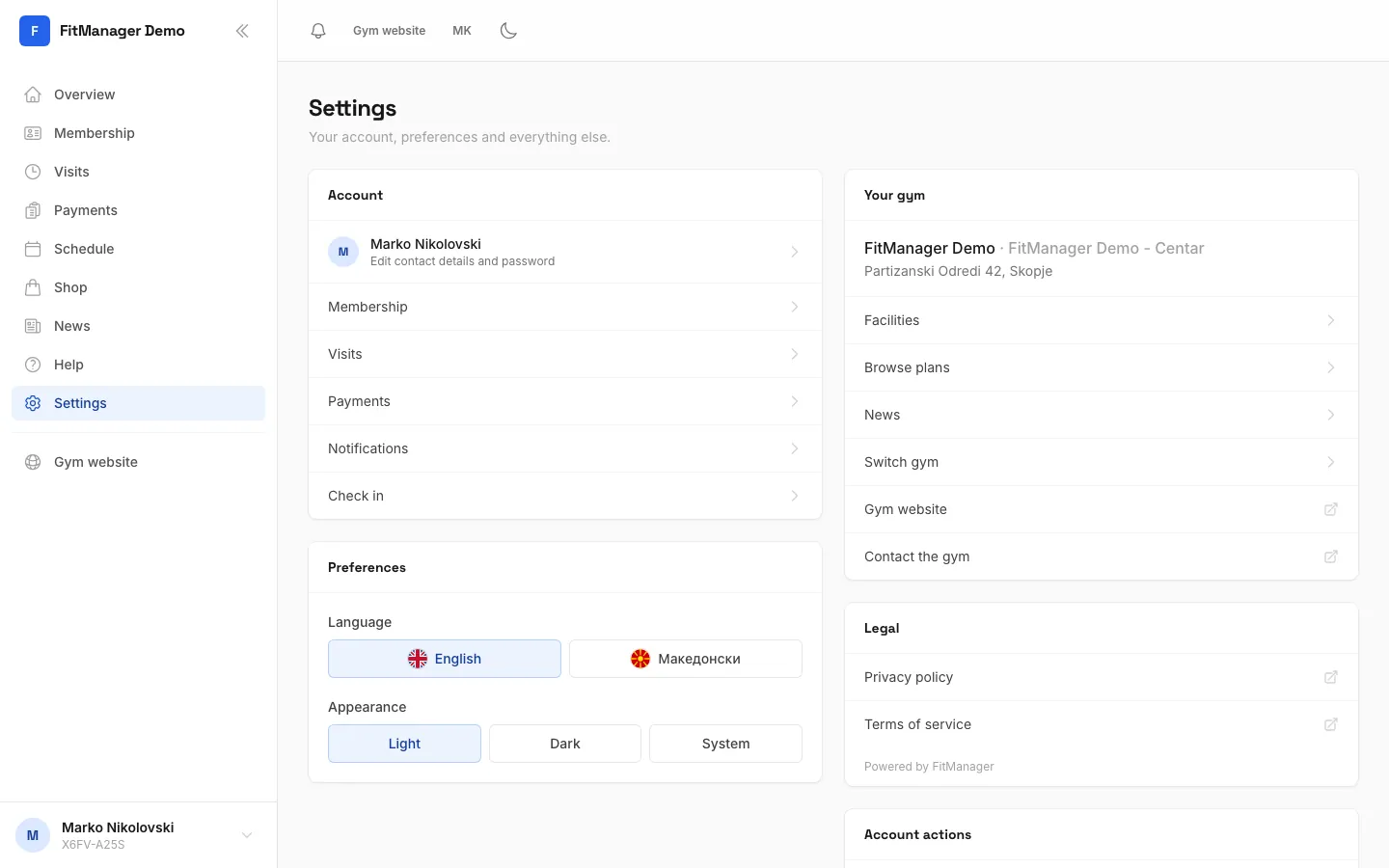
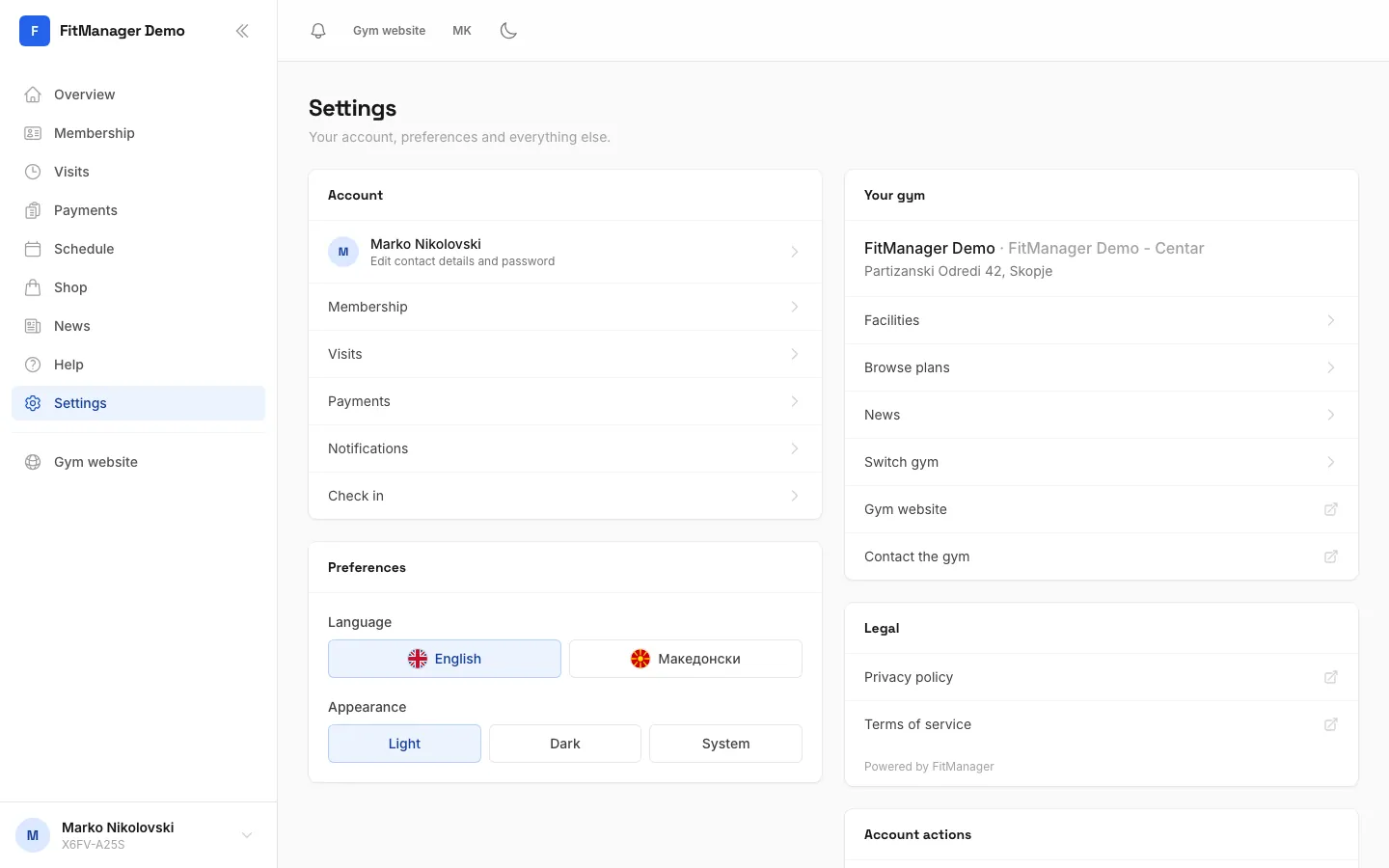
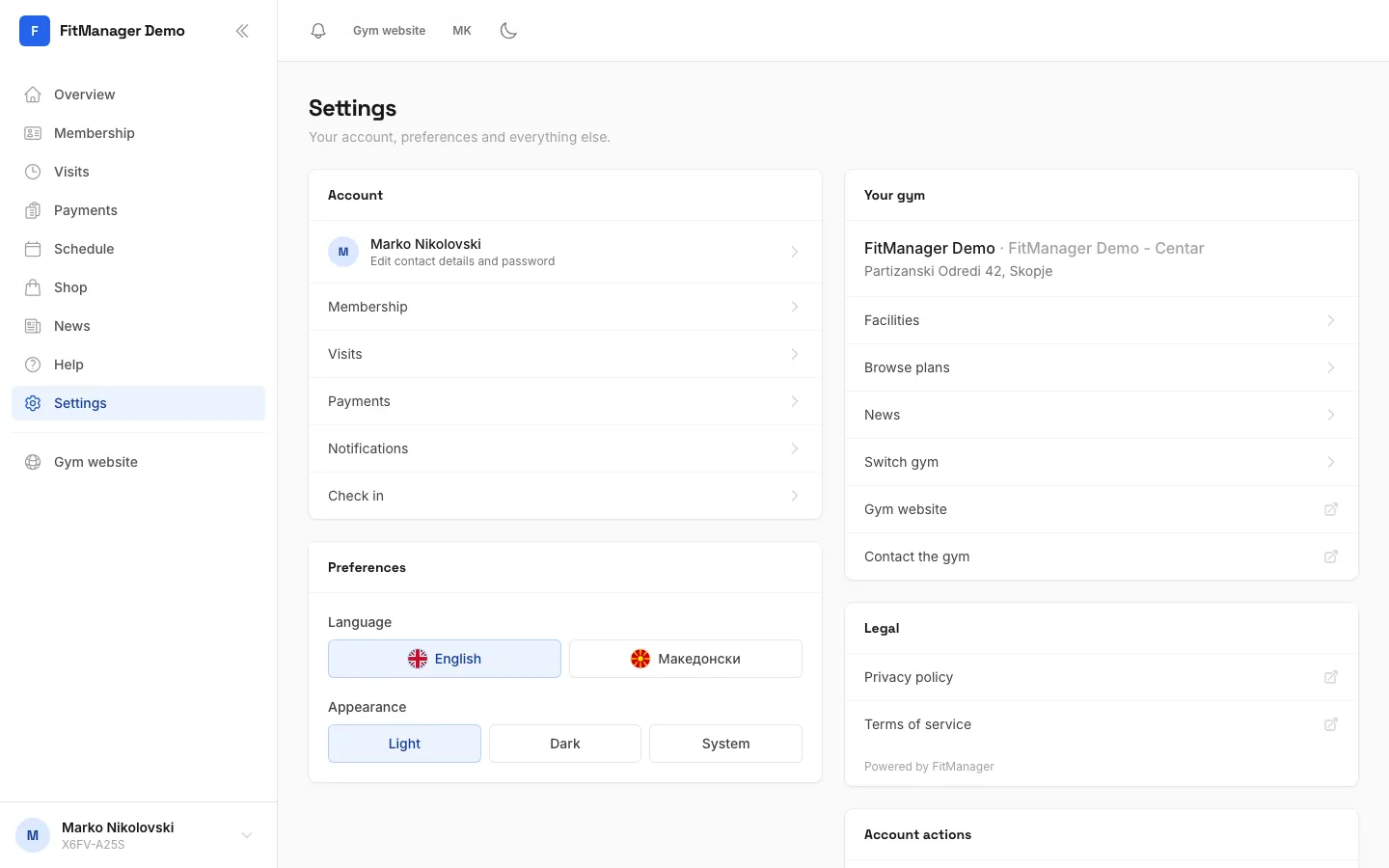
- Open Settings in the app.
- Under Your gym, tap Switch gym.
- On Choose your gym, search for the other gym and tap it.
- Sign in with the email and password you have at that gym.
The app now opens that gym every time, until you switch again.
Switch gym only appears inside the app. In a browser, simply open the other gym's portal address.
Memberships at more than one gym
- Separate accounts. Your account at one gym does not carry over to another, even if they both use FitManager. Each gym adds you, and you set a password for each one. You can use the same email and even the same password if you like.
- Separate cards and plans. Your digital card, plans, visits and payments are kept per gym. Show the card from the gym you are standing in.
- One gym, several locations. If your gym has more than one location, you have one account, registered at your home location. The doors at another location may answer You are not registered at this facility. Ask the front desk if you want to train at another location.
Your gym has its own app
A gym's own app is built for that gym only. To use another gym, install that gym's app or the FitManager app, or use the other gym's portal in your browser.
Was this page helpful?
Related articles
Still stuck?
Write to us and we will get back to you within one working day.