Export lists to CSV, Excel or PDF
Export selected members, attendance, products, purchases, expenses, partner statements and employees as CSV, Excel or PDF.
Most lists in the dashboard can be exported for your accountant, a mailing or your own spreadsheet. You choose the rows, the format and whether to download the file or have it emailed.
Export from a list
- Open the list, for example Members.
- Narrow it down with search and filters if you like.
- Tick the rows you want. The checkbox in the header selects the whole page.
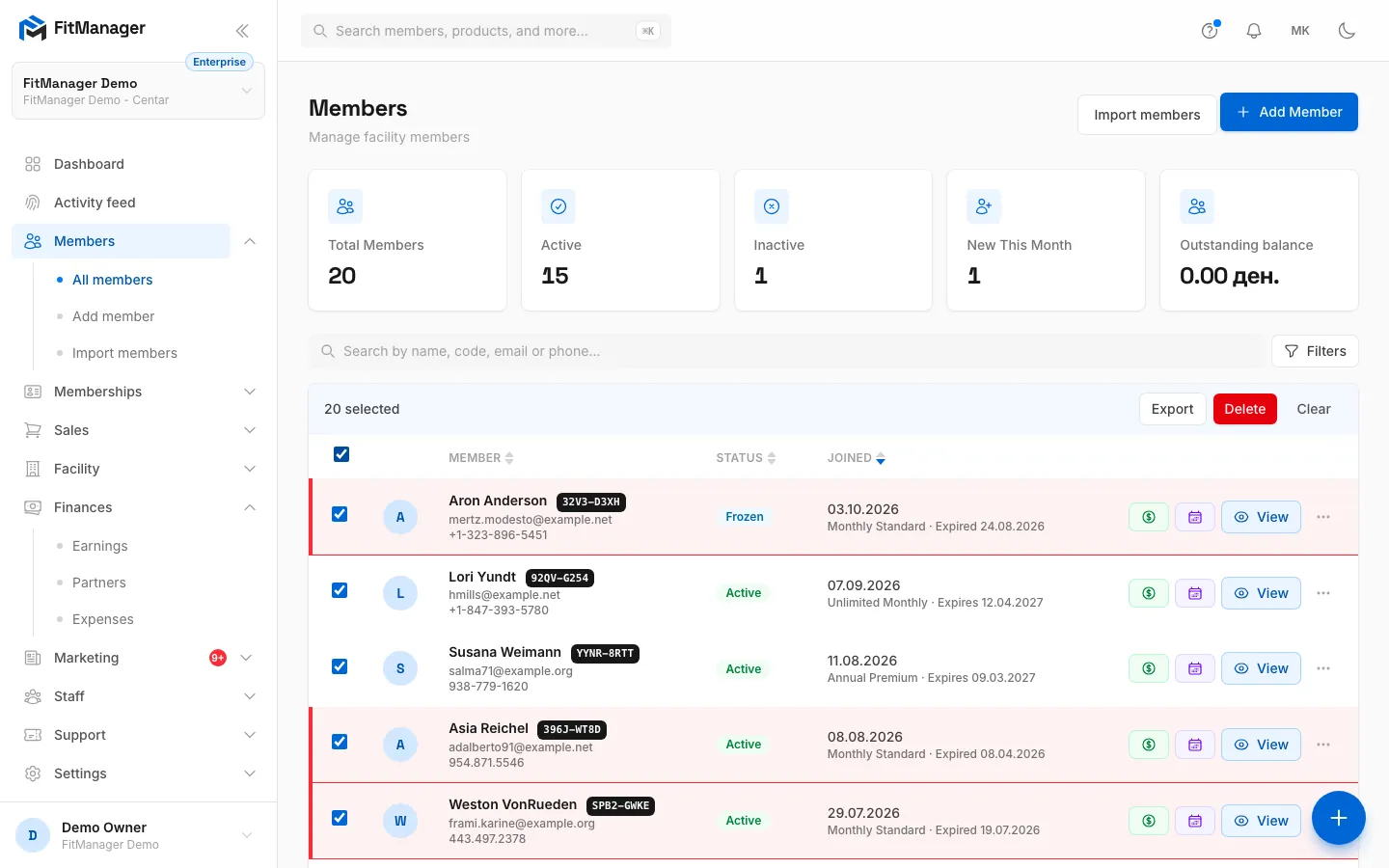
- Click Export in the bar that appears above the list. Clear drops the selection.
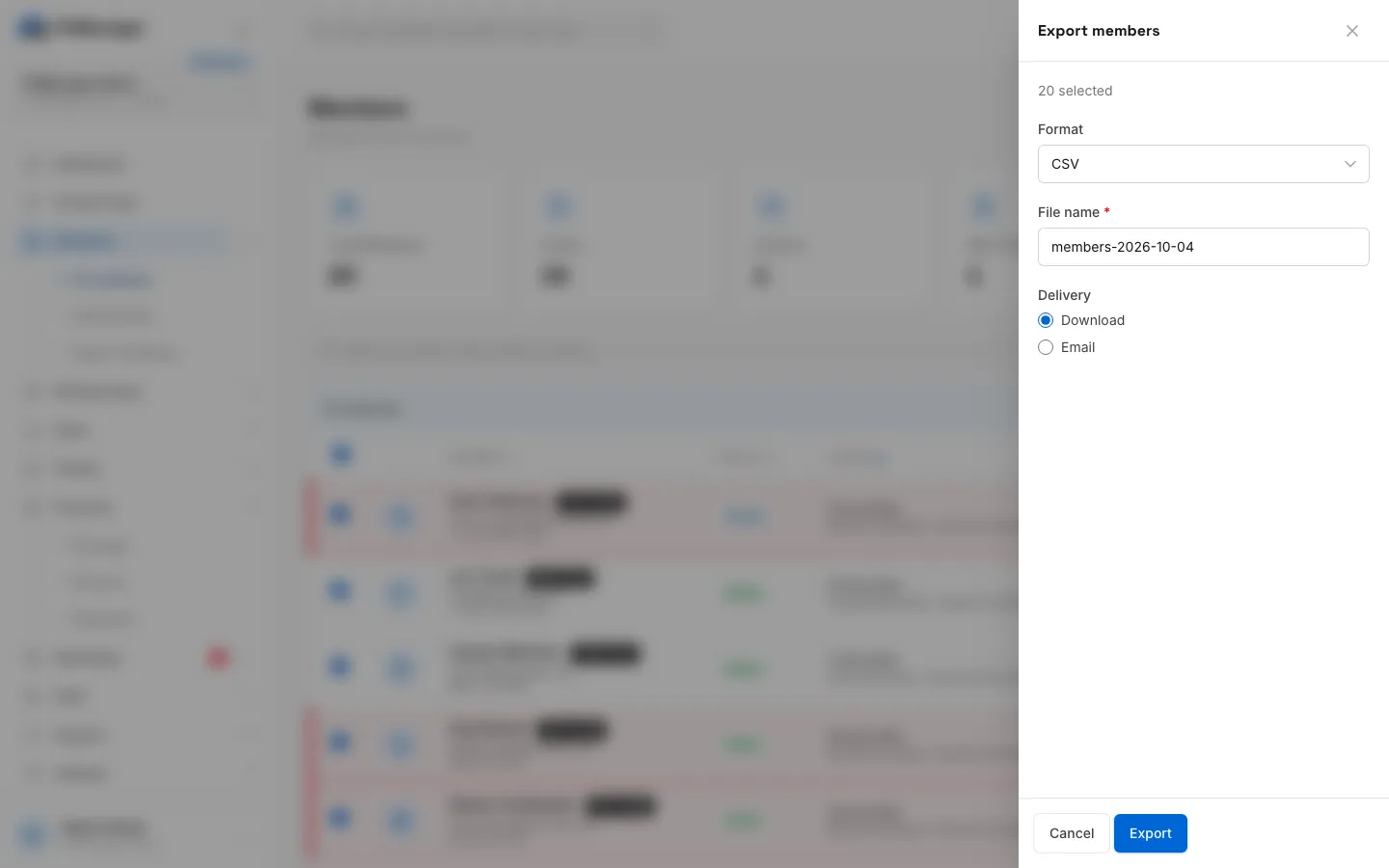
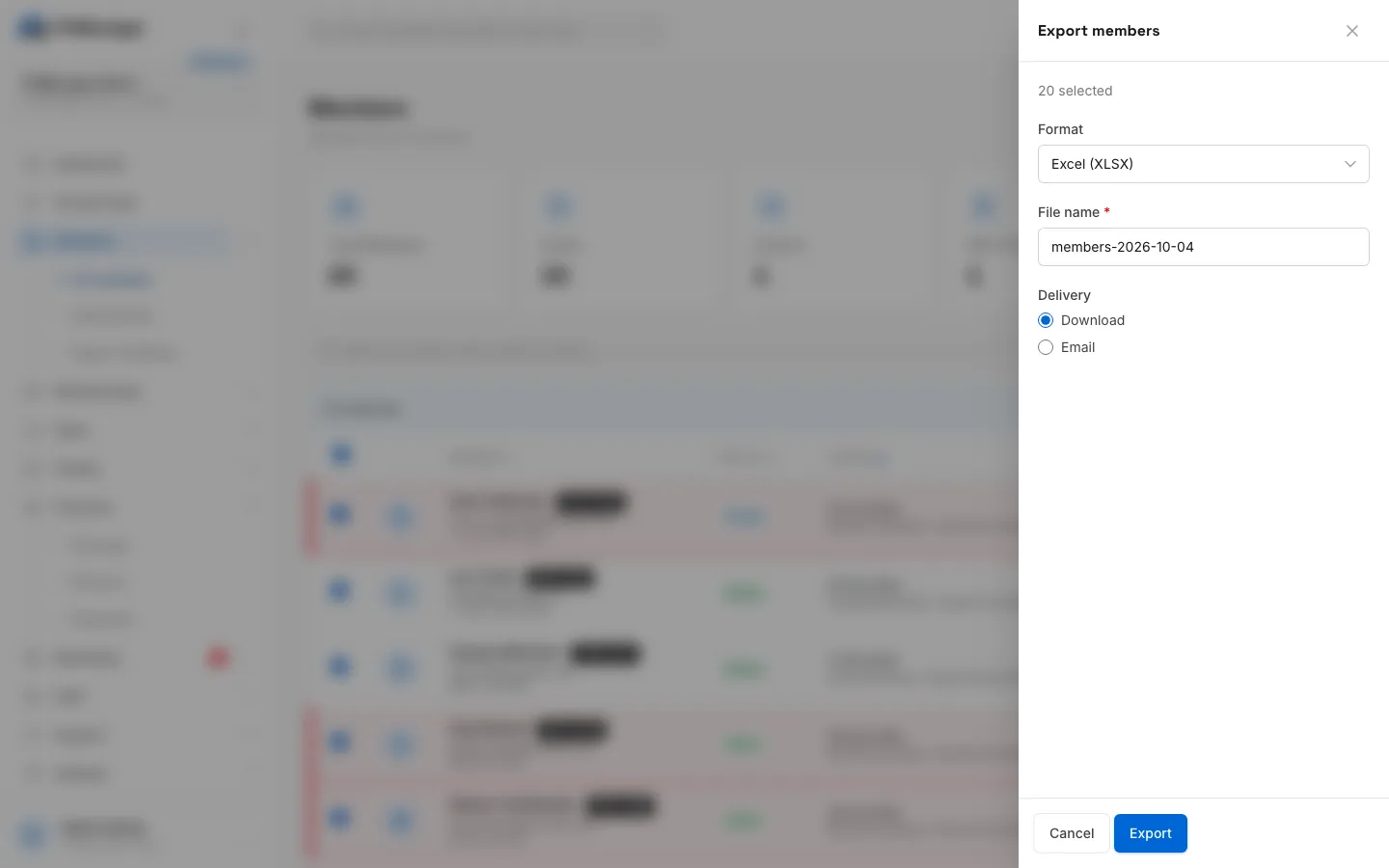
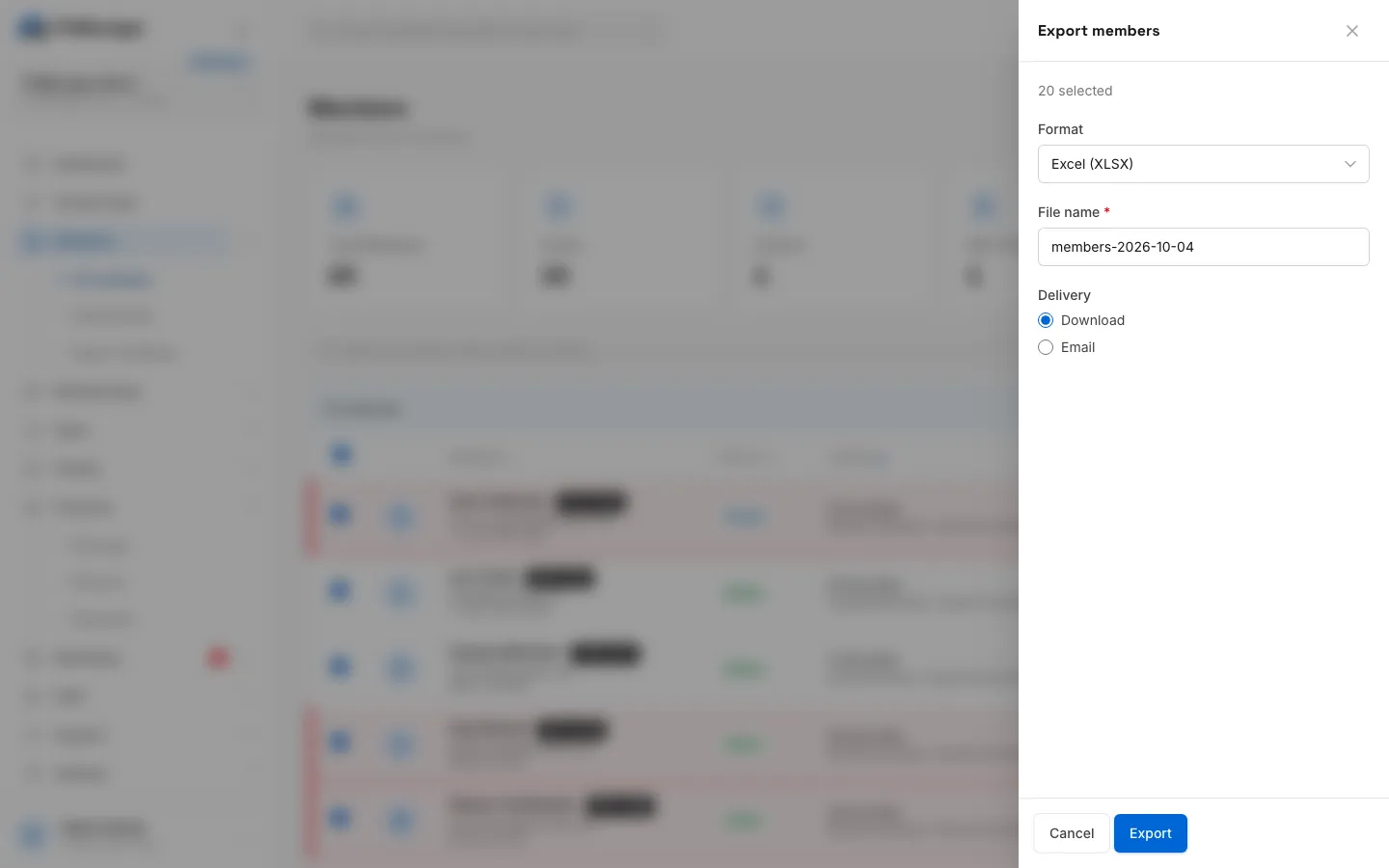
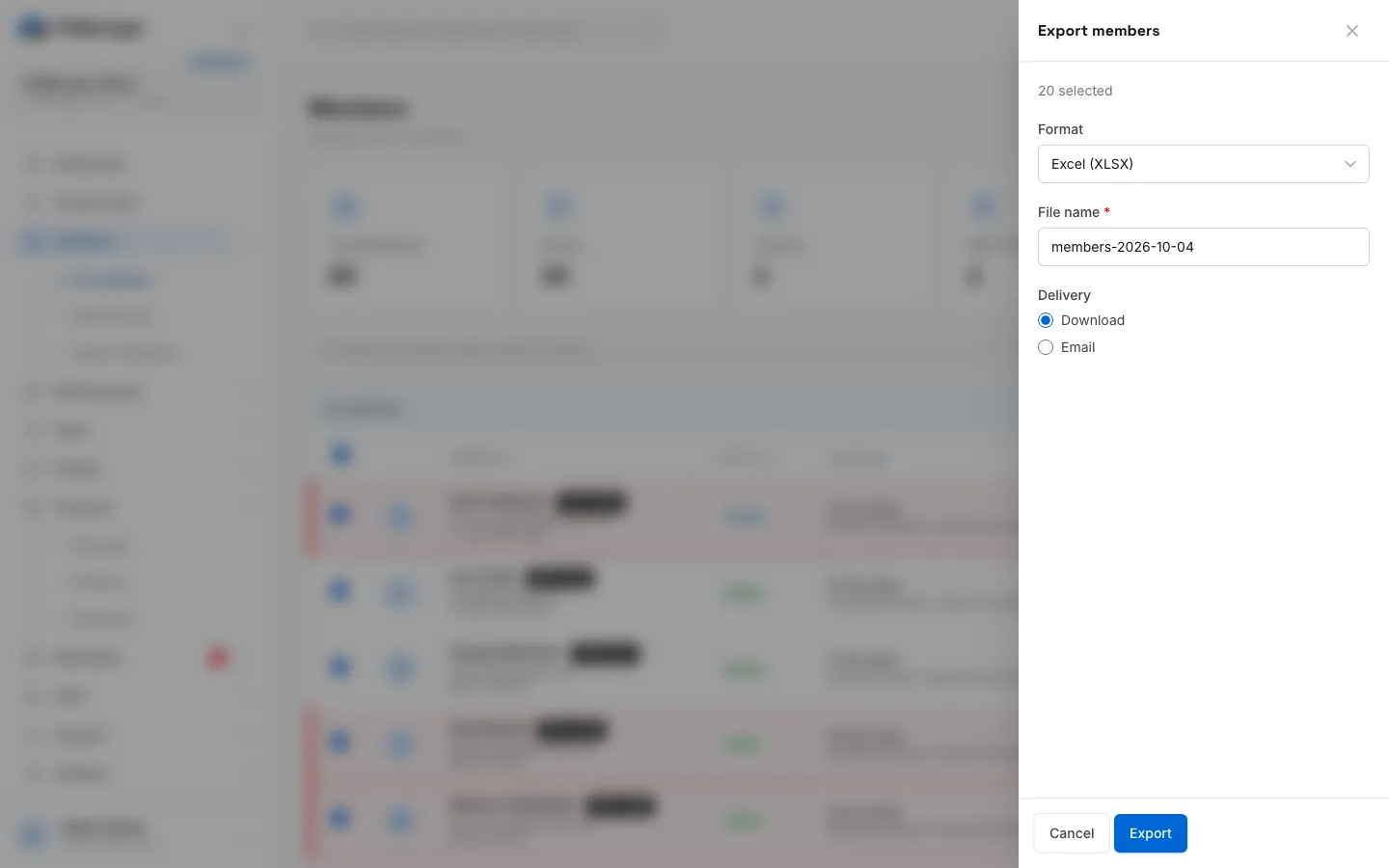
- In the Export panel, choose the Format, check the File name and choose the Delivery.
- Click Export.
With Download, the file opens in a new tab with the message Export ready. Your download should start shortly. With Email, type the Email address (yours is filled in) and the file arrives as an attachment, with the message Export emailed.
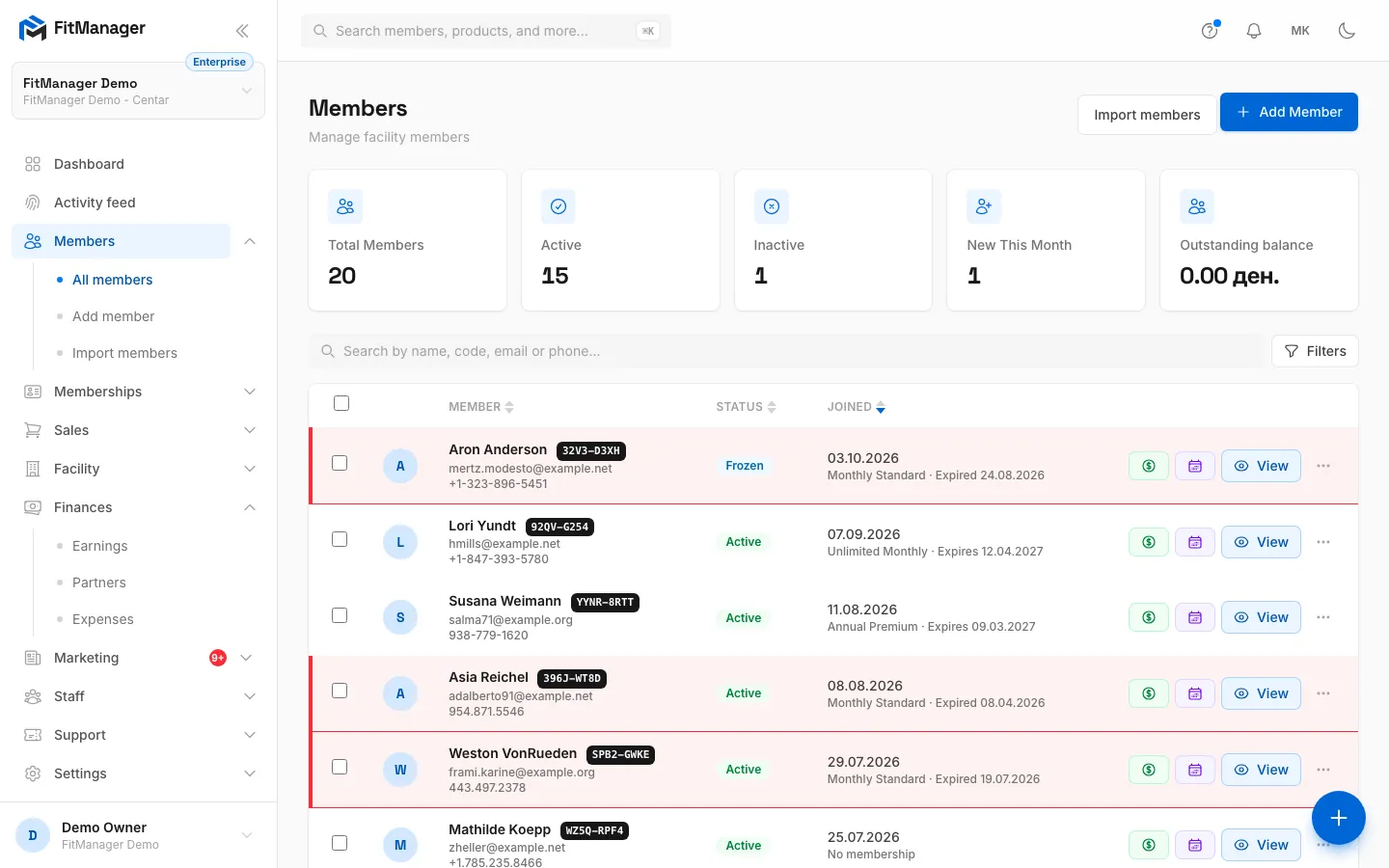
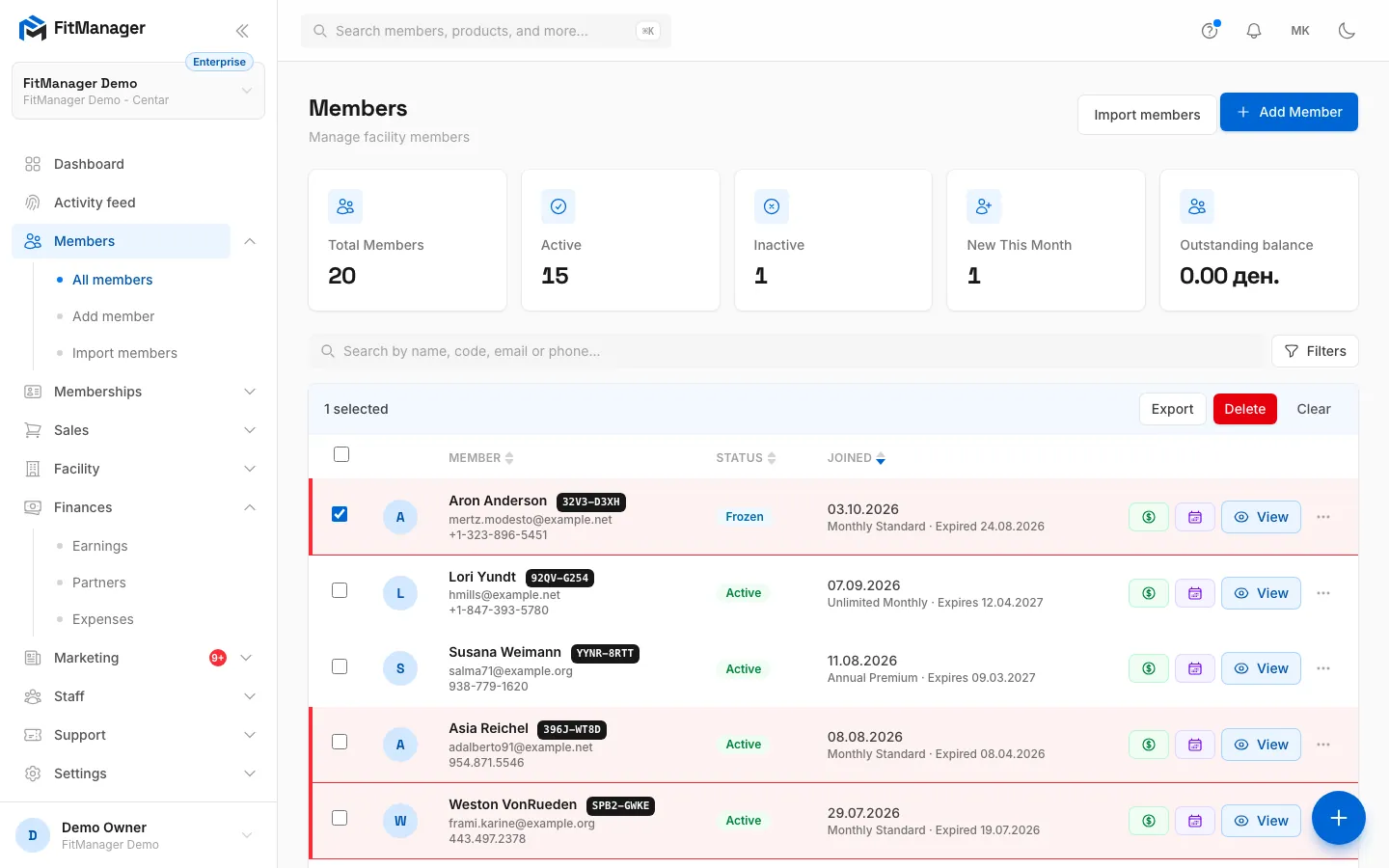
- Step 1: On the Members page, tick the rows you want to export.
- Step 2: Or tick the box in the header to select the whole page.
- Step 3: Click Export in the bar above the list.
- Step 4: Pick the Format. Excel (XLSX) keeps Macedonian letters readable in Excel.
- Step 5: Check the File name. The right extension is added for you.
- Step 6: Choose Download to open the file now, or Email to get it as an attachment.
- Step 7: Click Export. A download opens in a new tab and its link works once, for 30 minutes.
Formats
| Format | Best for |
|---|---|
| CSV | Importing into another system. Plain text, comma separated. |
| Excel (XLSX) | Opening in Excel. Use this when names contain Macedonian letters, because Excel can garble Cyrillic in a CSV. |
| Printing or sending a list that should not be edited. |
The file name gets the right extension automatically.
What you can export
| List | How you pick the rows | Columns |
|---|---|---|
| Members | Tick rows | Code, Member, Email, Phone, Status, Joined |
| Attendance | Export at the top exports everything that matches the current filters, up to 20,000 visits | Check in, Check out, Member number, Member, Access point, Method |
| Products | Tick rows | Name, SKU, Category, Price, Cost, Stock, Status |
| Purchases | Tick rows | Date, Member, Cashier, Method, Source, Status, Total |
| Expenses | Tick rows | Date, Category, Vendor, Description, Amount |
| Partners | Export statement exports the selected partner and month | Date, Member number, Member, Plan, Amount, Paid |
| Employees | Tick rows | Name, Email, Status |
You only see the lists your permissions and plan allow, and an export only ever contains rows from the facility you are working in.
Download links are private and short-lived
A downloaded export is not a public file. The link that opens it:
- is signed, so it cannot be guessed or changed,
- works for 30 minutes,
- works once: the file is deleted from the server as soon as it has been downloaded,
- only works for someone signed in to the same facility.
If a download did not start (a pop-up blocker, for example), allow pop-ups for FitManager and export again.
Emailed exports are sent from your gym's email setup, the same way as member emails. Anyone who has the email has the file, so send member data only to addresses you trust.
Common questions
How do I export all my members, not just one page? The list shows 100 members per page. The header checkbox selects the current page and replaces any earlier selection, so export one page at a time, or use filters so that the members you need fit on one page. For a complete copy of everything in your account, see Export your data.
An error says the file name is required. The File name box is empty. Type a name and click Export again.
"Nothing to export for the current filters." On the attendance page, no visits match your filters. Widen the date range.
The PDF note says PDFs are emailed. You can download or email a PDF like any other format. Large PDFs take a few seconds longer to build.
Can I choose the columns? No, each list has a fixed set of columns, listed above.
Was this page helpful?
Related articles
Still stuck?
Write to us and we will get back to you within one working day.