Your membership and card
See your plan, the days or visits you have left, your membership history and your digital card, and renew before it runs out.
The Membership page shows everything about your plan in one place: your digital card, the plan you have now, how much is left, and every plan you have had at this gym.
Open your membership
Open Membership in the menu. On a phone, tap Card in the middle of the bottom bar. A short summary is also on the Overview.
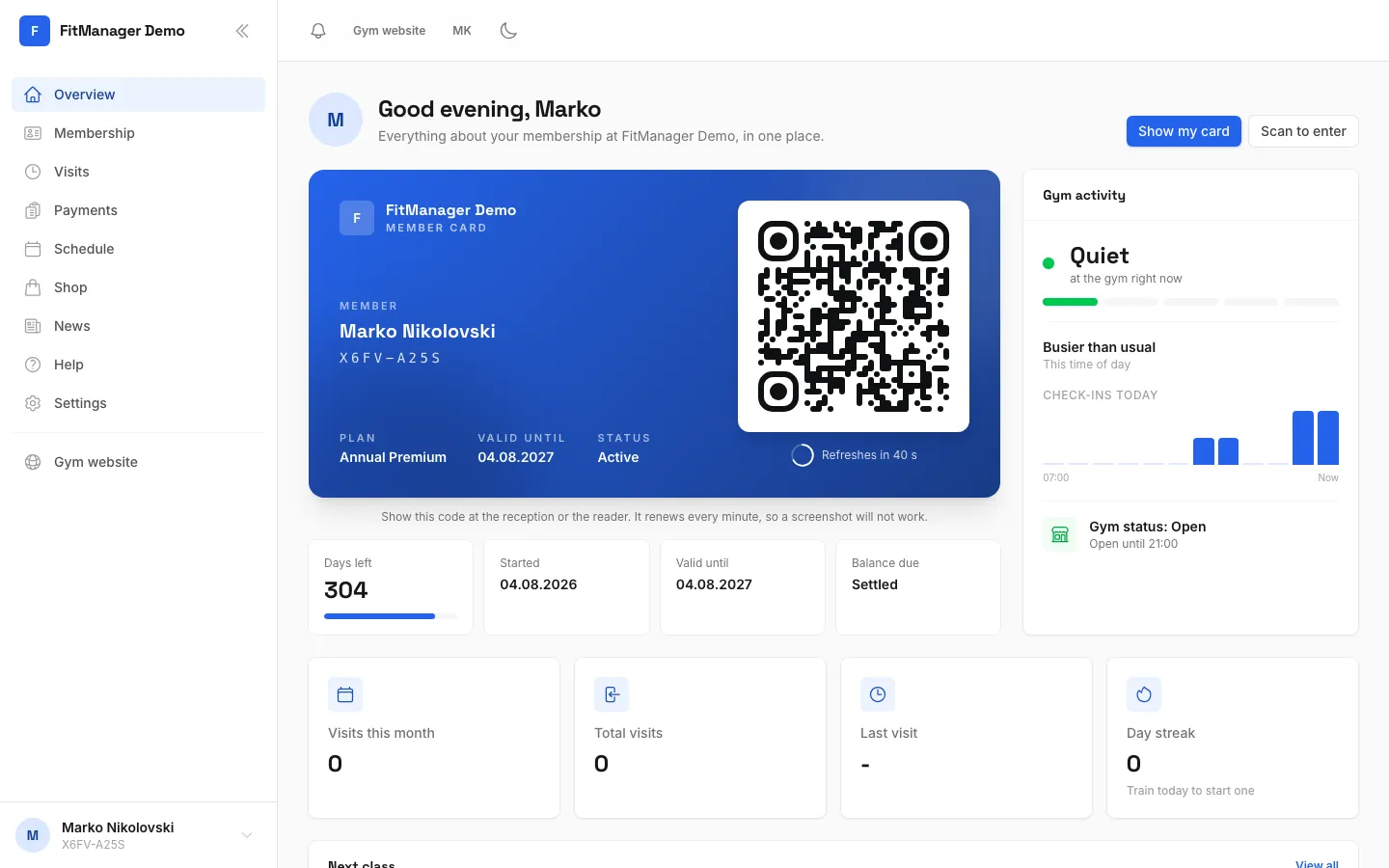
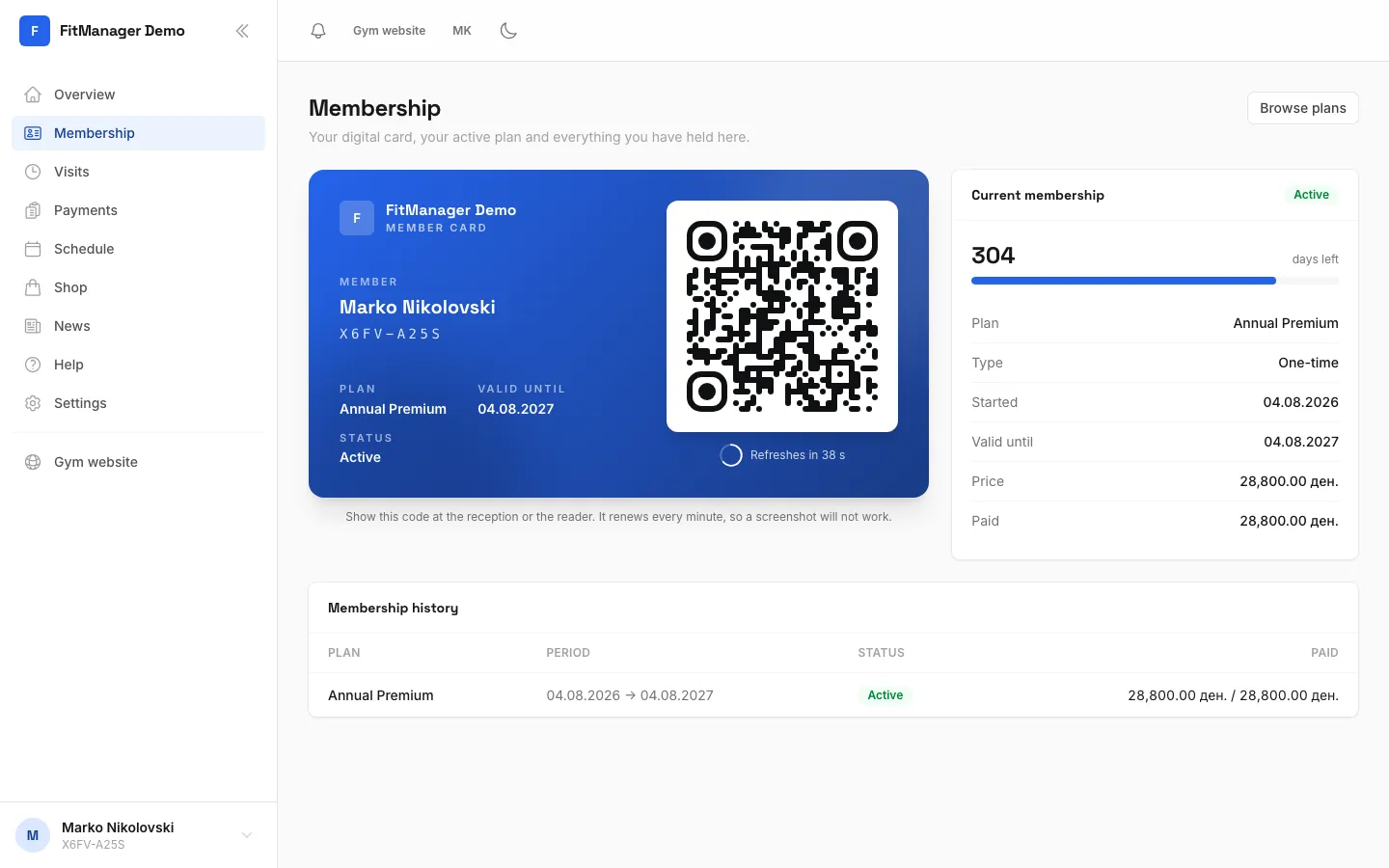
- Step 1: Open Membership in the menu. On a phone, tap Card in the bottom bar.
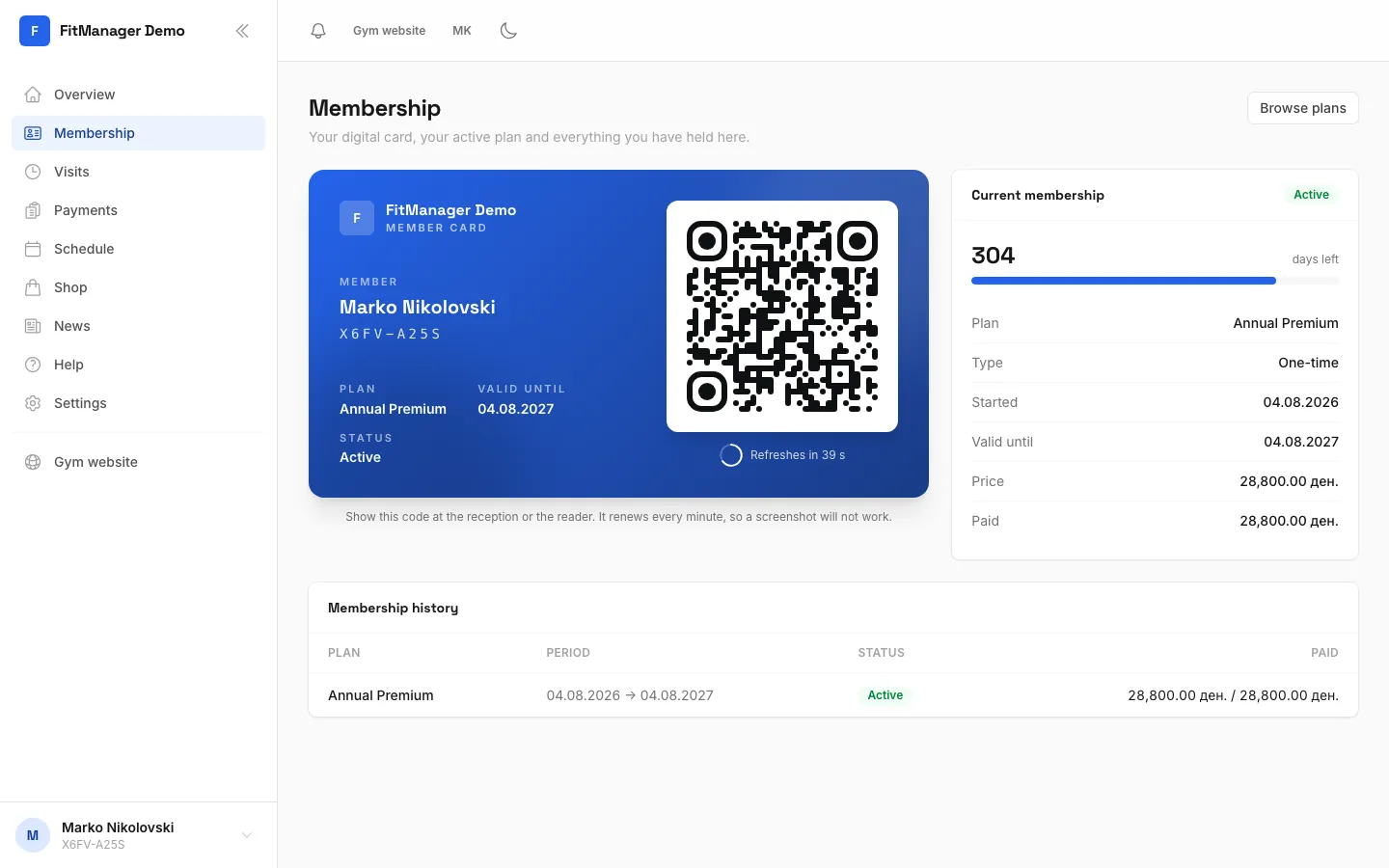
- Step 2: This is your digital card. Show its QR code at the reader or the reception.
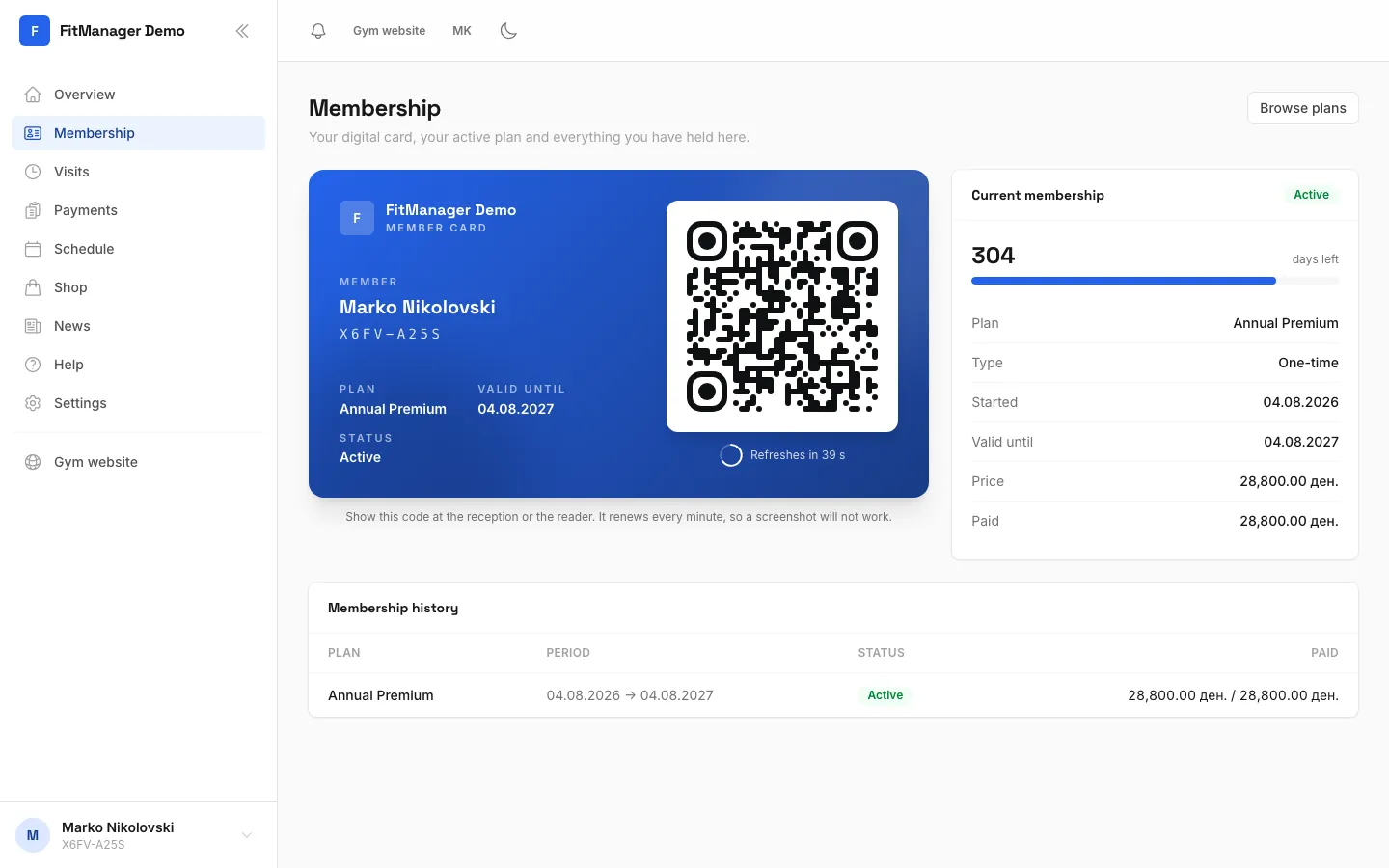
- Step 3: Current membership shows your plan, its status and how long it is valid.
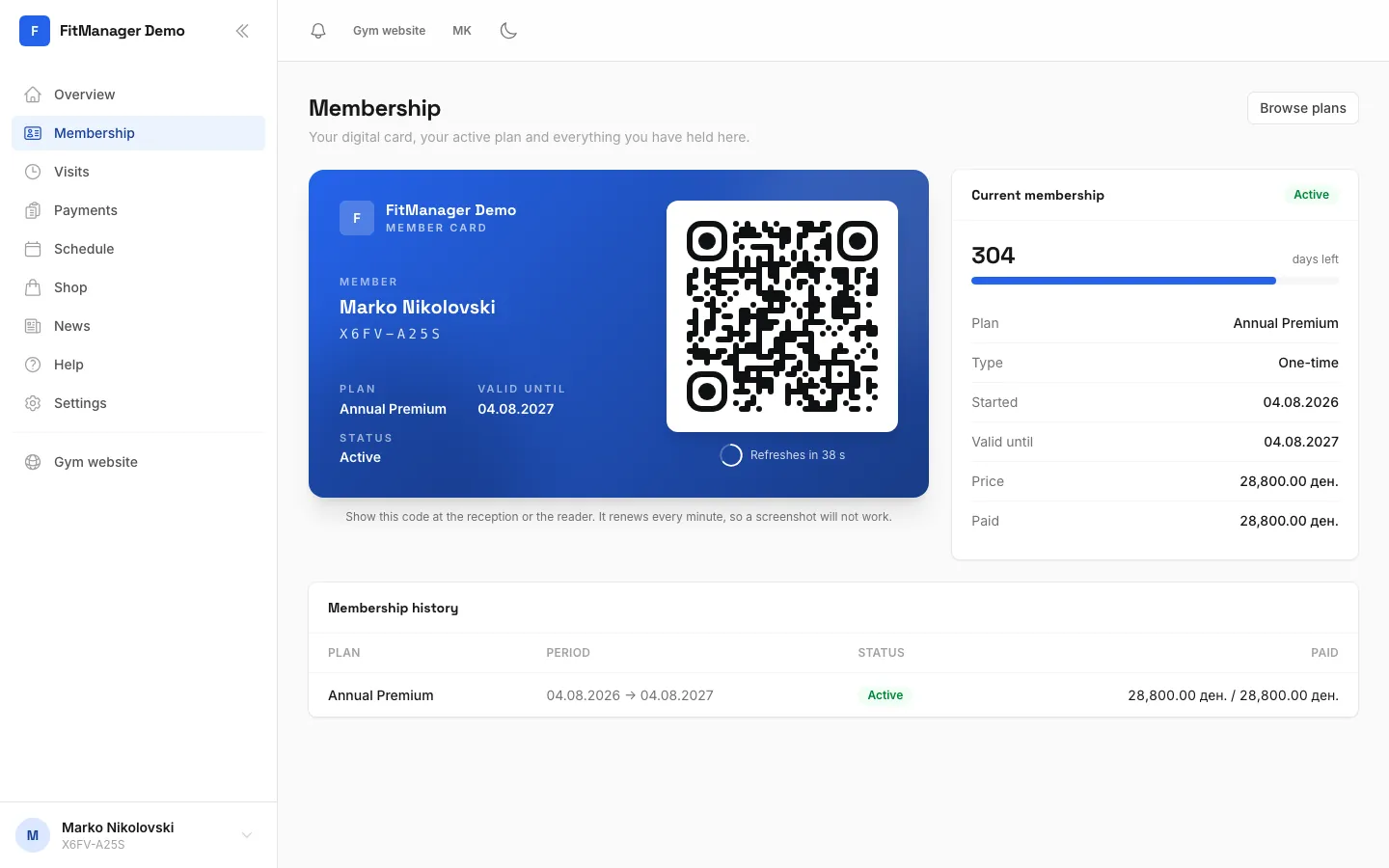
- Step 4: Membership history lists every plan you have had here.
- Step 5: When it is time, tap this button at the top to renew or buy your next plan.
Your digital card
At the top is your Member card with your name, your member code, your plan, Valid until and your Status. Show its QR code at the reader or the reception to check in. It renews every minute, so a screenshot will not work. See Scan in at the door.
Current membership
Next to the card, Current membership shows your plan with a status badge such as Active, Frozen or Expired. Here is what each line means:
| Line | What it shows |
|---|---|
| Plan | The name of your plan. |
| Type | The kind of plan, or Visit pack for a pack of visits. |
| Started | The day your plan started. |
| Valid until | The last day you can come in, or No expiry date. |
| Visits used | For visit packs: how many visits you have used out of the total. |
| Frozen until | If your membership is on hold: the day it starts running again. |
| Price and Paid | What the plan costs and how much you have paid so far. |
| Balance due | What is still open. |
A bar above the details shows how many days (or visits) you have left.
If you see There is an open balance on this membership, you still owe part of the price. You can settle it at the reception.
If you have already paid for your next plan, a green note says it is paid for and starts on a date right after your current plan, so you do not lose any days.
Membership history
Membership history lists every plan you have had here, with the Period, the Status and how much was Paid out of the price.
When your membership ends
Your gym can remind you before your plan ends, by email, SMS or a notification in the app, depending on what the gym uses and your choices in your profile. See Notifications and reminders.
When your plan has ended, the card and the Overview show Expired, and the door will not let you in until you renew.
Renew
Tap Renew membership (or Browse plans while your plan is still running) at the top of the Membership page.
Requires: Portal shop
This opens the Shop, where you can buy your next plan online. A plan you buy while the current one is still running starts the day after it ends. See Buy or renew in the shop.
You can always renew at the front desk too.
Something looks wrong?
Your name, email and date of birth, your plan, freezes and payments are all managed by the gym. If anything on this page is not right, ask the front desk to fix it.
Was this page helpful?
Related articles
Still stuck?
Write to us and we will get back to you within one working day.