Import members from a CSV file
Move your member list from a spreadsheet or another system into FitManager, with plans, card numbers and balances.
Coming from another system or a spreadsheet? Export your members to a CSV file and import them in one go. FitManager keeps their old member numbers and card numbers, and can give each member their current plan with the amount they have already paid.
Before you start
- You need the Add members permission.
- Members are imported into the facility you are working in. Switch facility first if needed.
- To assign plans during the import, create the plans first, with exactly the names your file uses.
- Prepare a CSV file: comma or semicolon separated, the first row holding the column names, up to 10 MB. In Excel use File > Save As > CSV UTF-8. In Google Sheets use File > Download > Comma-separated values.
Import your file
- Open Members and click Import members (also in the sidebar under Members).
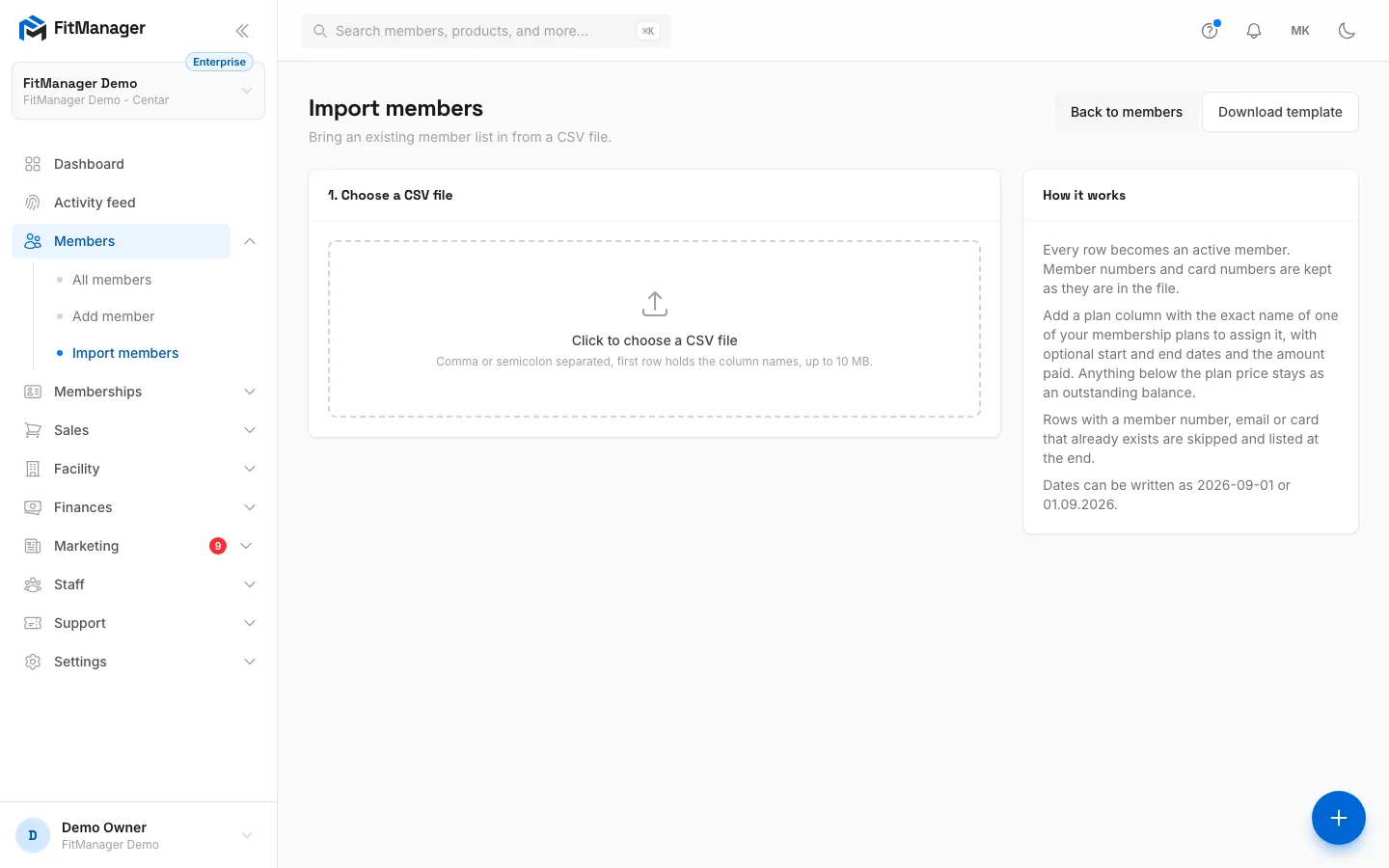
- Optional: click Download template to get a CSV with every column the import understands and one example row.
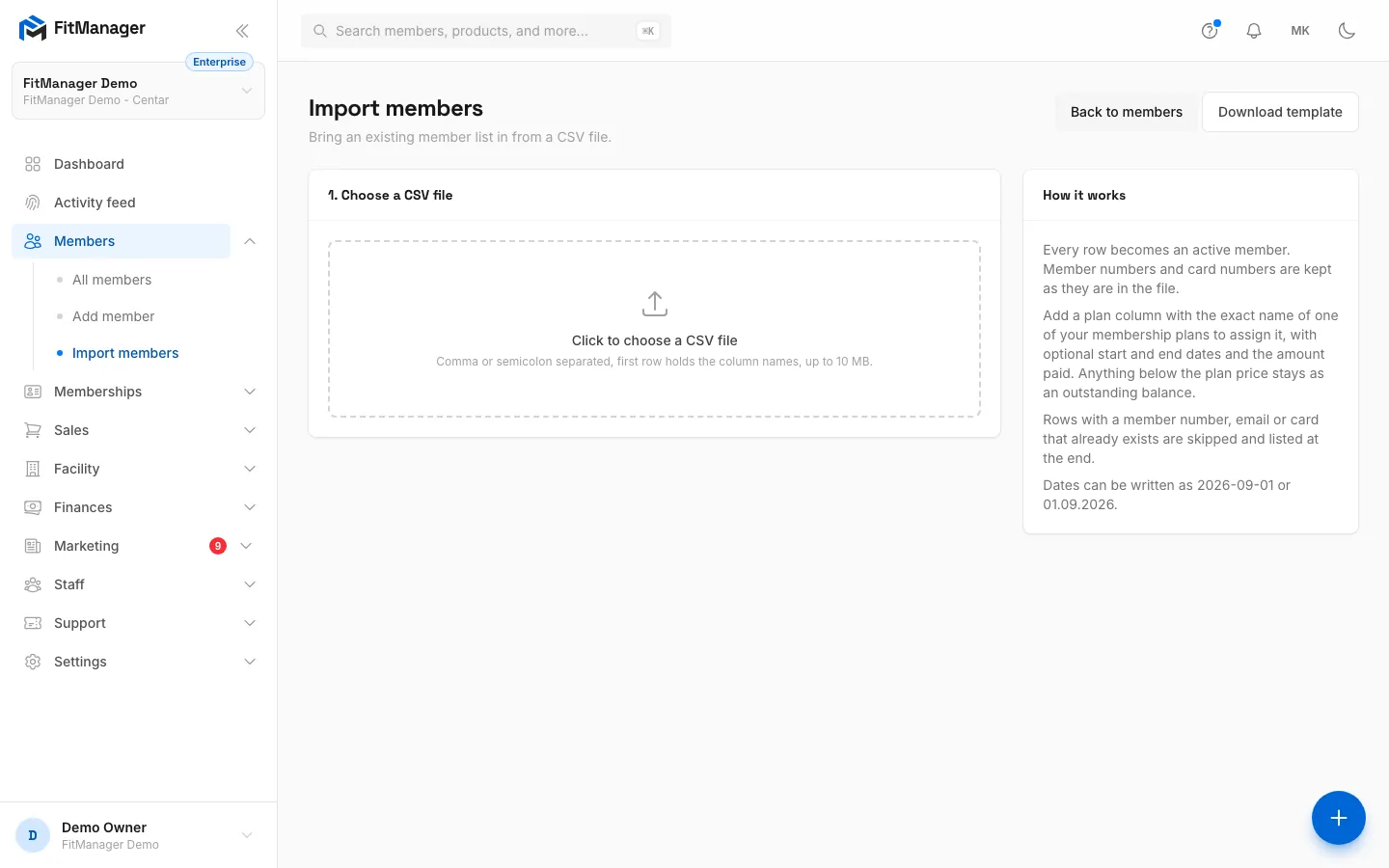
- Under 1. Choose a CSV file, click the box and pick your file. FitManager reads it and shows the first five rows under First rows of the file.
- Under 2. Match the columns, check which column of your file fills each field. FitManager guesses from your column names; change any guess, or pick Not in the file. Only First name is required.
- Click Import N rows.
- Read the result: Members created, Rows skipped and Rows in file, plus a table of every skipped row with its Line and Problem. Click View members or Import another file.
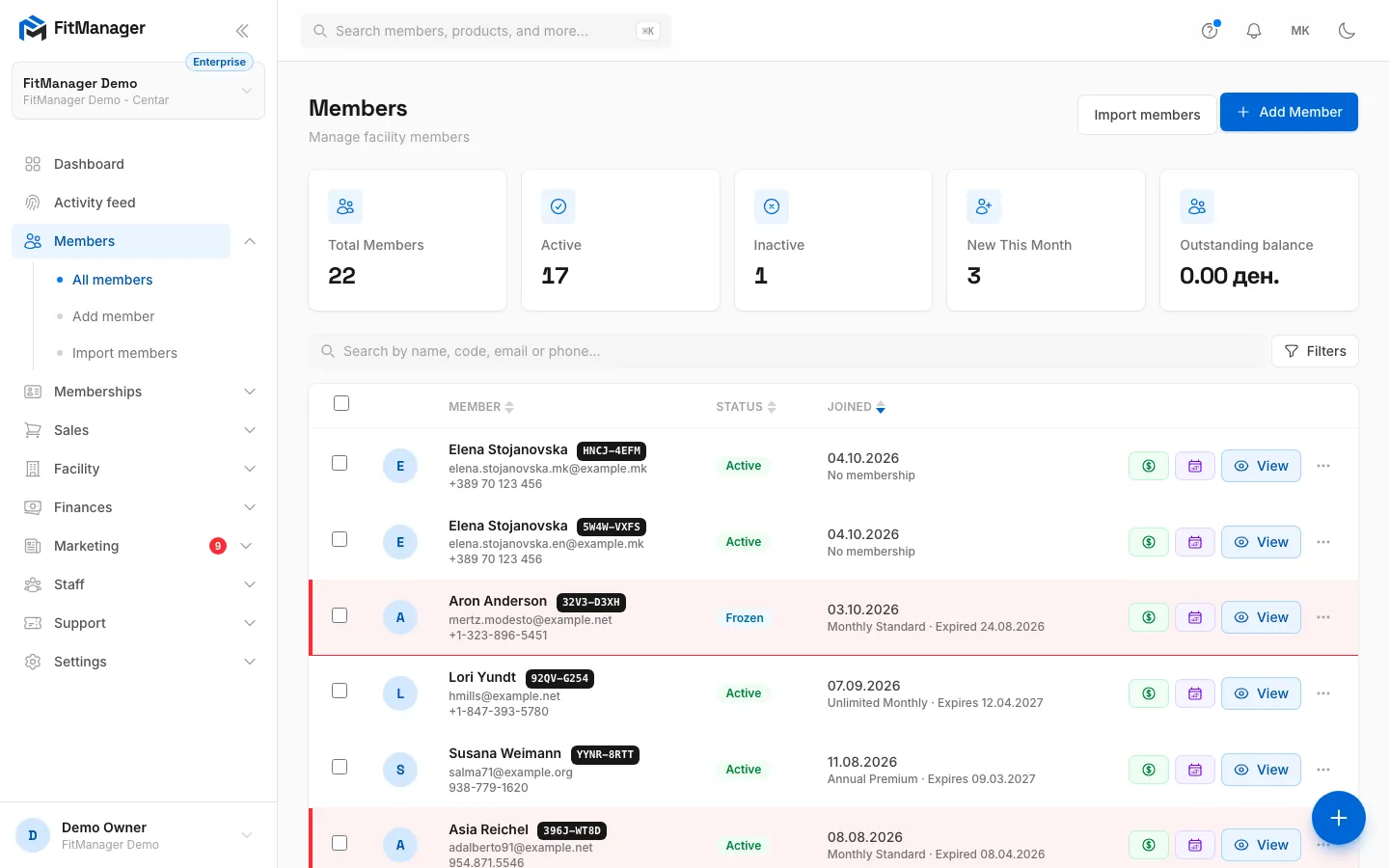
- Step 1: On the Members page, click Import members.
- Step 2: Download template gives you a CSV with every column the import understands and one example row.
- Step 3: Click here and choose your CSV file. Comma or semicolon separated, up to 10 MB.
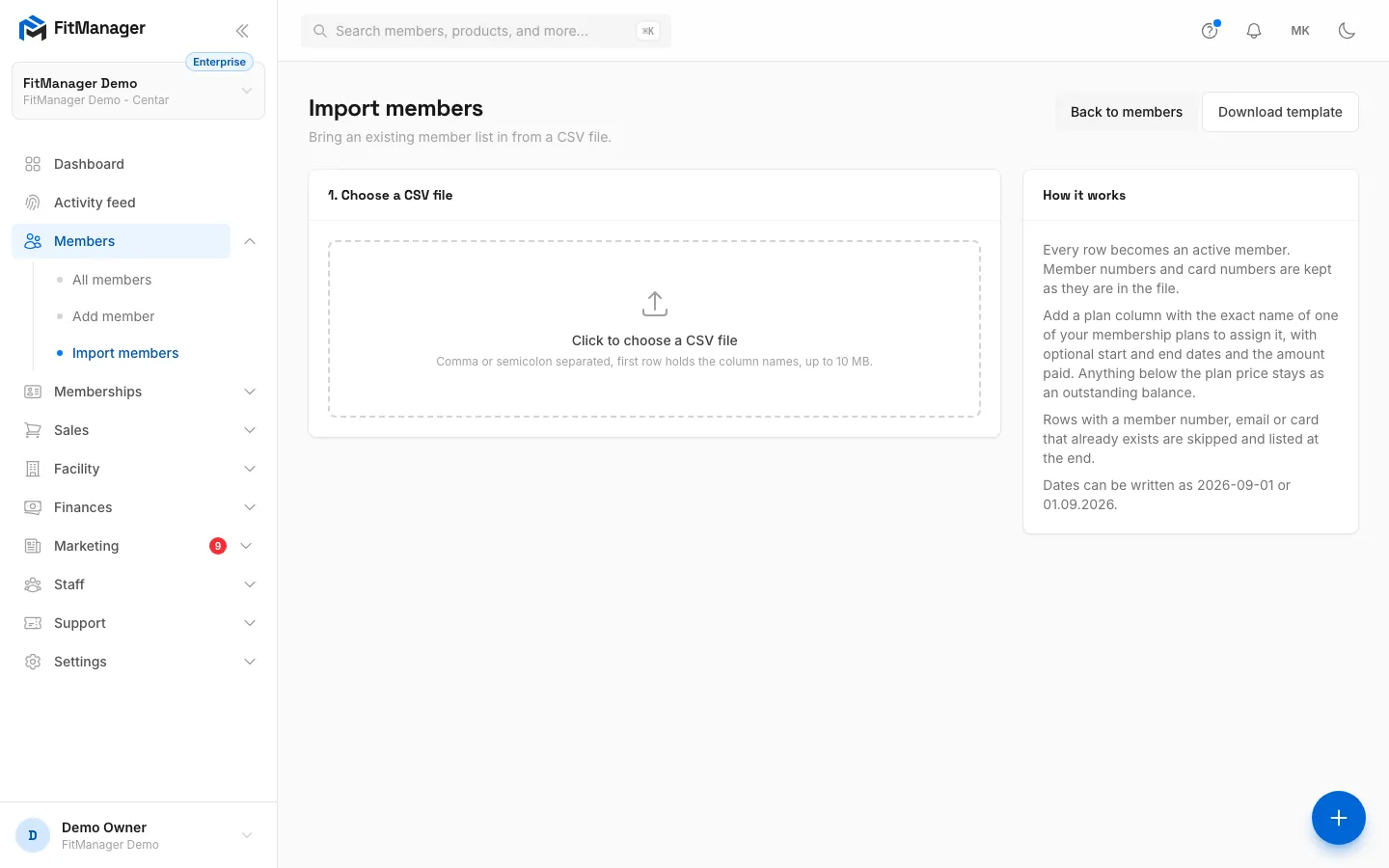
- Step 4: The rules are summed up on the right. Next you match your columns and run the import.
The columns
| Field | Template column | Notes |
|---|---|---|
| First name | first_name |
Required. Up to 100 characters. |
| Last name | last_name |
Up to 100 characters. |
email |
Must be a valid address. Used for the portal login. | |
| Phone | phone |
Up to 50 characters. |
| Member number | member_code |
Your old member number, up to 12 characters. Leave it out and FitManager generates a code. |
| Card number | rfid_tag |
The RFID card or fob number. Non-digits are removed and the number is padded with zeros to 10 digits. |
| Date of birth | date_of_birth |
See date formats below. |
| Gender | gender |
m, male, машки, маж become male; f, female, женски, жена become female; anything else becomes other. |
| Address, City | address, city |
Free text. |
| Plan name | plan |
The exact name of one of your one-time plans. Upper or lower case does not matter. |
| Membership start | start_date |
When the plan starts. Empty means today. |
| Membership end | end_date |
Empty means the plan's normal length from the start date. |
| Amount paid | amount_paid |
What the member already paid. Empty means paid in full. Anything below the plan price stays as an outstanding balance. |
| Notes | notes |
Up to 2000 characters, visible to staff only. |
Column names FitManager recognises
You do not have to rename your columns. These names (in any case) are matched automatically:
| Field | Recognised names |
|---|---|
| First name | first_name, first name, firstname, name, ime, име |
| Last name | last_name, last name, lastname, surname, prezime, презиме |
| email, e-mail, mail, емаил | |
| Phone | phone, telephone, mobile, telefon, телефон, contact |
| Member number | member_code, member code, member number, number, code, id, broj, број |
| Card number | rfid_tag, rfid, card, card number, kartica, картичка, tag |
| Date of birth | date_of_birth, birthday, dob, born, datum na raganje, роденден |
| Gender | gender, sex, pol, пол |
| Address | address, adresa, адреса |
| City | city, grad, град |
| Plan name | plan, membership, clenarina, членарина |
| Membership start | start_date, start, from, pocetok, почеток |
| Membership end | end_date, end, expires, expiry, valid until, istekuva, истекува |
| Amount paid | amount_paid, paid, amount, plateno, платено |
| Notes | notes, note, comment, zabeleska, забелешка |
Dates and amounts
Dates can be written as 2026-09-01, 01.09.2026, 01.09.2026., 01/09/2026, 01-09-2026 or 2026/09/01 (day before month). A date that cannot be read is left empty.
Amounts may include a currency name or spaces (1800 ден, 1800 MKD). Do not use thousands separators: a dot or a comma is read as the decimal point, so 1.800 is imported as 1.8, not 1800.
What the import does
- Every row becomes an Active member of the current facility.
- With a plan, the member gets that membership from the start to the end date, with the amount paid recorded as a payment. Visit packs and partner plans are handled the same way as when you assign a membership by hand.
- No emails are sent and no passwords are set. When you want imported members to use the portal, see Portal access.
- The file is deleted from the server once the import has run.
Skipped rows
A row is skipped, and listed at the end with its line number in your file, when:
| Problem | Why |
|---|---|
| The first name field is required. | The first name cell is empty. |
| The email field must be a valid email address. | The email is not a real address. |
| Member number X already exists. | Another member, in the file or already in FitManager (deleted members included), has that number. |
| Email X already exists. | Same, for the email. |
| Card X is already assigned. | Same, for the card number. |
| No membership plan named "X". | No one-time plan in this facility has that name. |
Rows that worked are not undone when other rows fail. To finish, copy only the skipped rows (with the header row) into a new file, fix them and import that file. Importing the whole file again is also safe as long as your rows have a member number or email: the rows already imported are then skipped as duplicates.
Common questions
Can I import subscriptions? No, the Plan name column only matches one-time plans. Import the members without a plan and add their subscriptions afterwards.
My file has one name column with the full name. Map it to First name and leave Last name as Not in the file. The member is created with the whole name as first name. For clean data, split the column in your spreadsheet first.
The Macedonian letters come out garbled. Save the file as CSV UTF-8. Older "CSV" options in Excel use a different encoding.
Amounts came in far too small.
Your file used a thousands separator, for example 1.800, so the members were imported with an outstanding balance. Settle it on each profile with Record payment (see the member profile). Note that such a payment counts in today's earnings. Remove the separators before your next import.
Moving a big database?
For a full migration with payment history from another system, read Moving from another system or open a support ticket.
Was this page helpful?
Related articles
Still stuck?
Write to us and we will get back to you within one working day.