SMS and your prepaid balance
Send members SMS reminders and receipts, pay for them from your location's prepaid balance, and get phone numbers in a format that works.
FitManager can text your members a short reminder or receipt. You do not need an SMS provider account: messages go out through FitManager's own SMS gateways, and each one is paid from the prepaid balance of the location that sends it.
Before you start
- SMS must be included in your plan. Without it, the SMS column on the notifications page shows not in plan.
- You need the Manage settings permission to change notifications and to see the prepaid balance.
- Members need a phone number on their profile.
Turn on SMS for a message
- Go to Settings, Facility settings, Notifications.
- In What members hear about, switch on SMS for the messages you want texted:
- Membership expiring: for example "Titan Fitness: your membership ends on 12.10.2026. Renew at reception to keep your access."
- Payment recorded: the amount paid and the remaining balance.
- Class reminder: the class and its start time.
- Click Save Changes.
SMS is sent in the language set under Language for member messages. Members can turn texts off for themselves in the portal with SMS reminders. See Choose what members are notified about for all the options.
Phone numbers
FitManager turns whatever is typed in the member's phone field into the international format before sending.
| Typed on the profile | Sent to |
|---|---|
070 123 456 |
+389 70 123 456, using your gym's country |
+389 70 123 456 |
+389 70 123 456 |
00389 70 123 456 |
+389 70 123 456 |
+389 070 123 456 |
+389 70 123 456, the extra 0 is dropped |
+44 7700 900123 |
+44 7700 900123, a foreign number keeps its own country |
Spaces, dashes and brackets do not matter. A local number without a country code is read as a number in your gym's country, so foreign members should be entered with + and their country code. A number with fewer than 8 or more than 15 digits cannot be used: the SMS is not sent, the row shows as Failed in Recent Usage and nothing is charged.
The prepaid balance page
Go to Settings, Prepaid balance. The page belongs to the location selected in the top bar.
| Item | What it shows |
|---|---|
| SMS Balance | Credit left for SMS, in your currency. |
| Email Balance | A separate email credit. Member email is not charged against it today. |
| SMS This Month | Text messages sent from this location this calendar month. |
| Emails This Month | Notification emails logged for this location this month. |
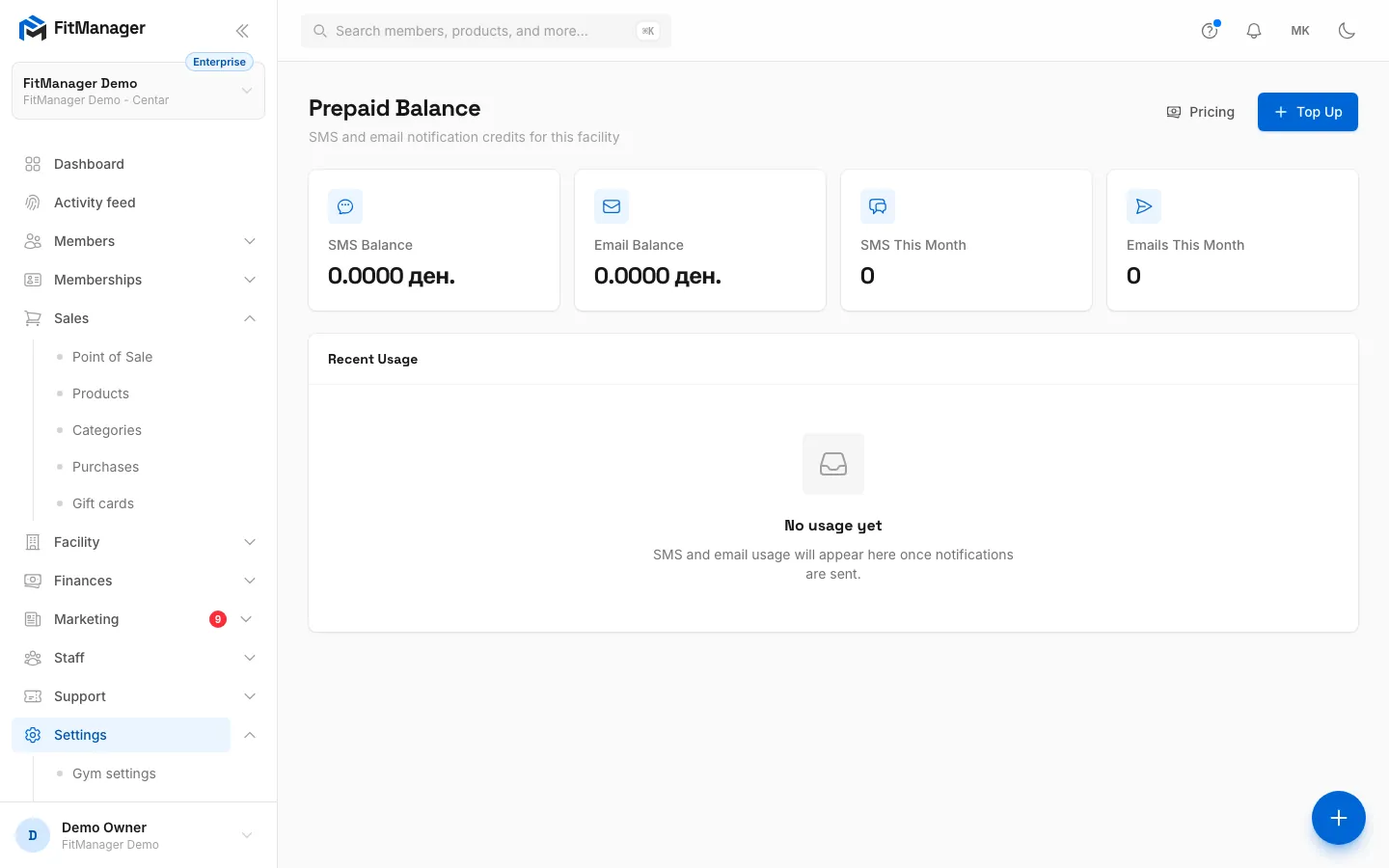
| Recent Usage | The last 10 messages, with Type, Recipient, Subject, Status, Cost and Sent. |
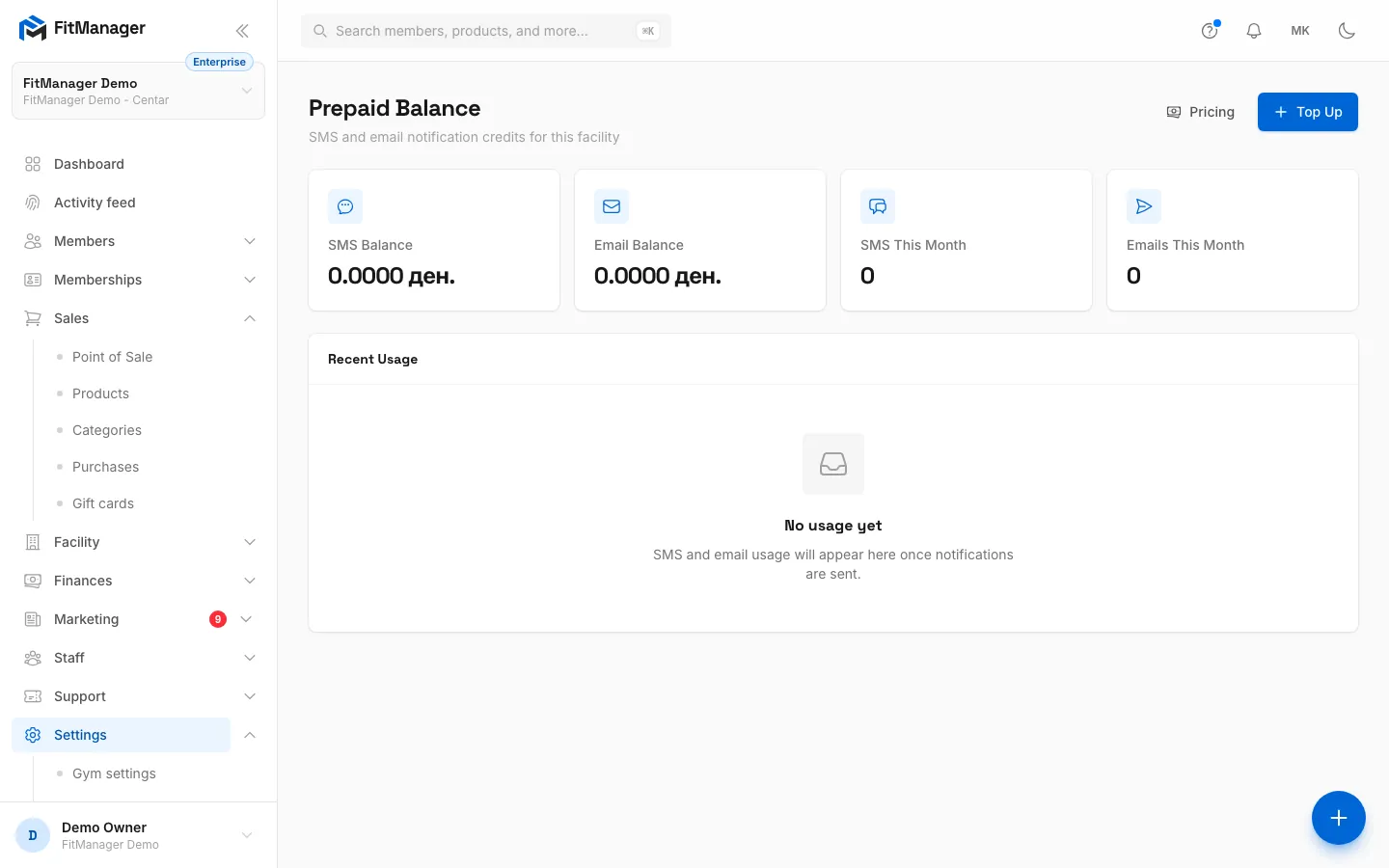
- Step 1: Open Settings, Prepaid balance. SMS Balance is the credit left for text messages at this location.
- Step 2: Recent Usage lists the last 10 messages with their status and cost. Failed messages are not charged.
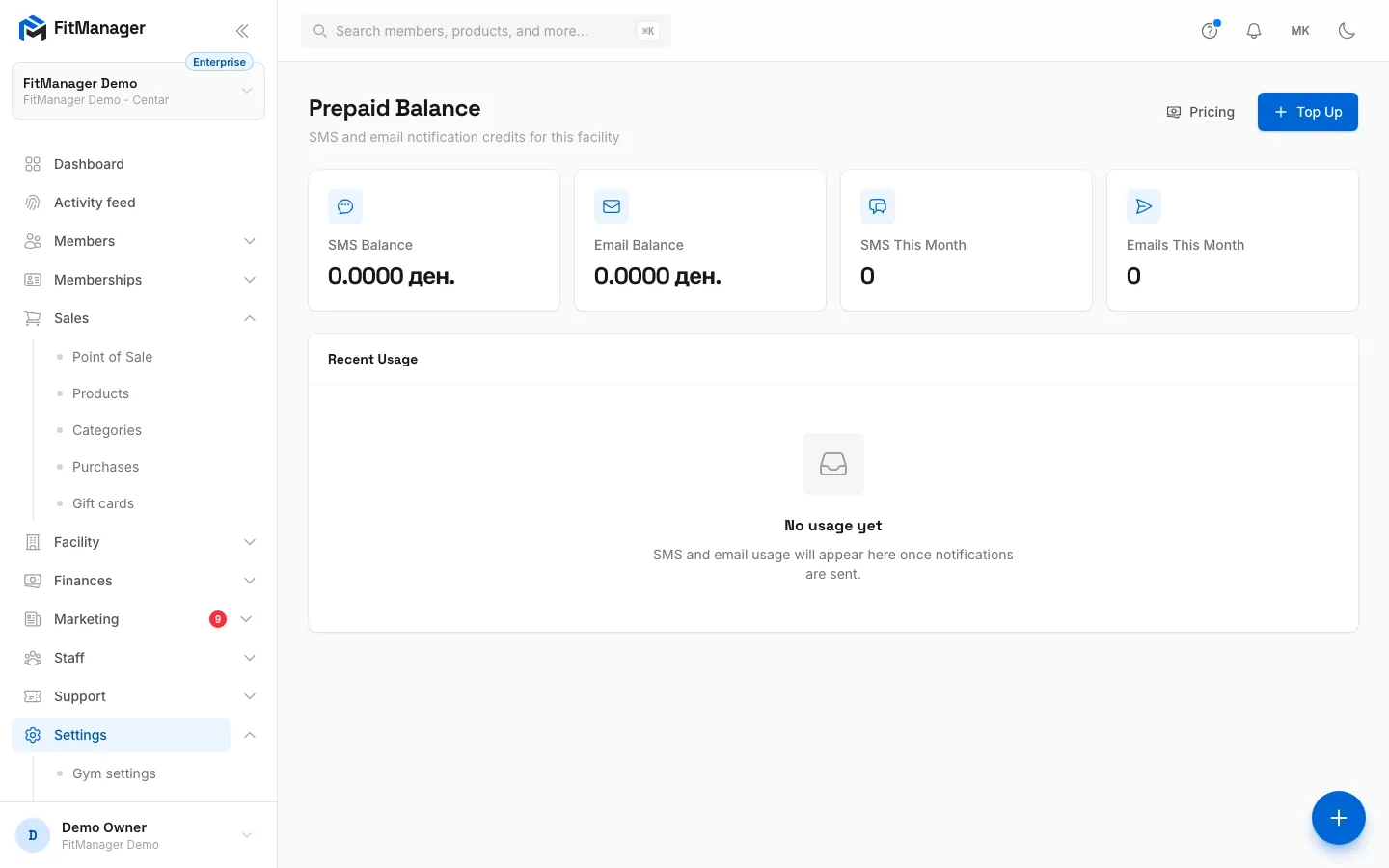
- Step 3: Top Up adds credit to the balance. Agree with FitManager support how SMS credit is billed before you use it.
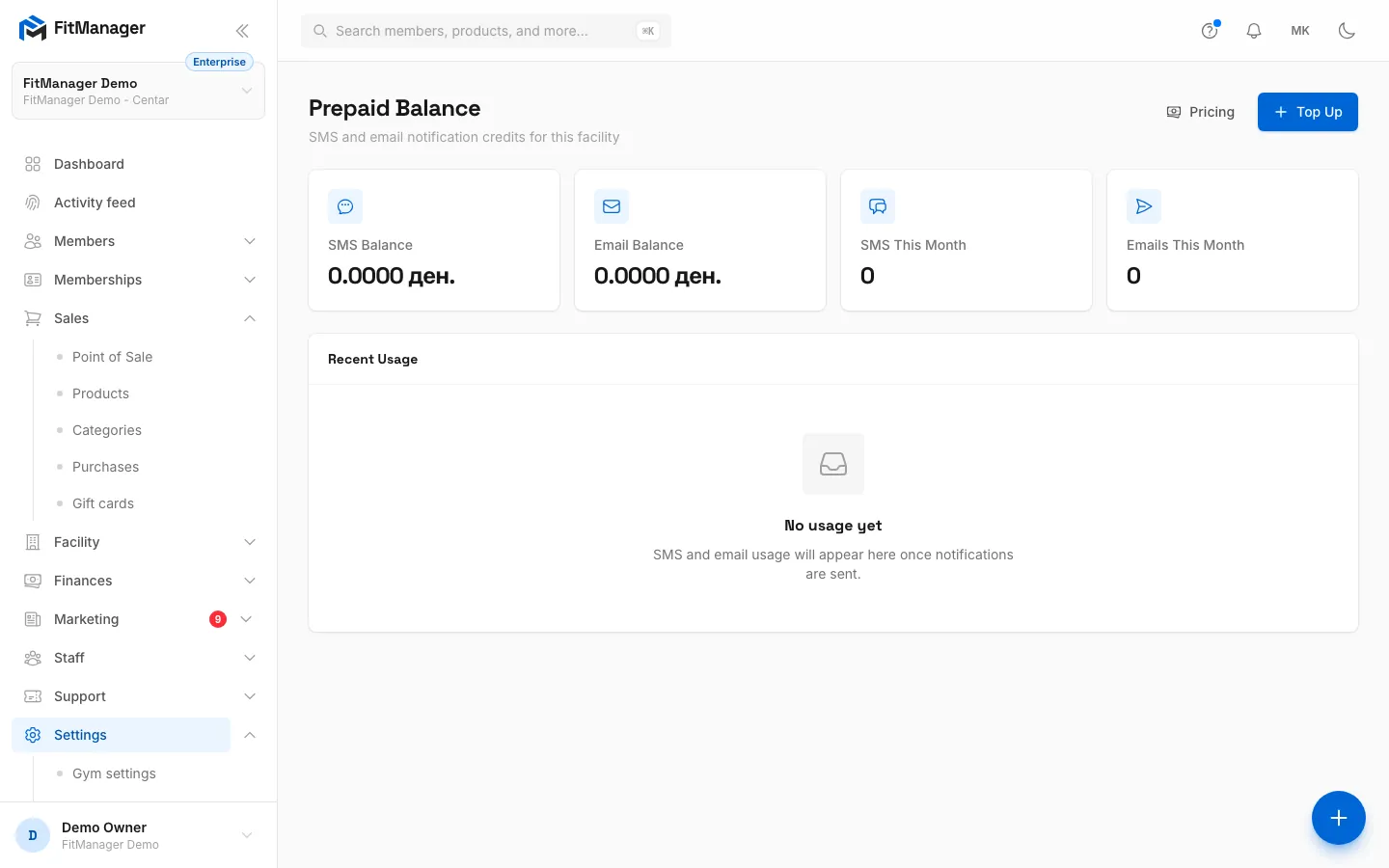
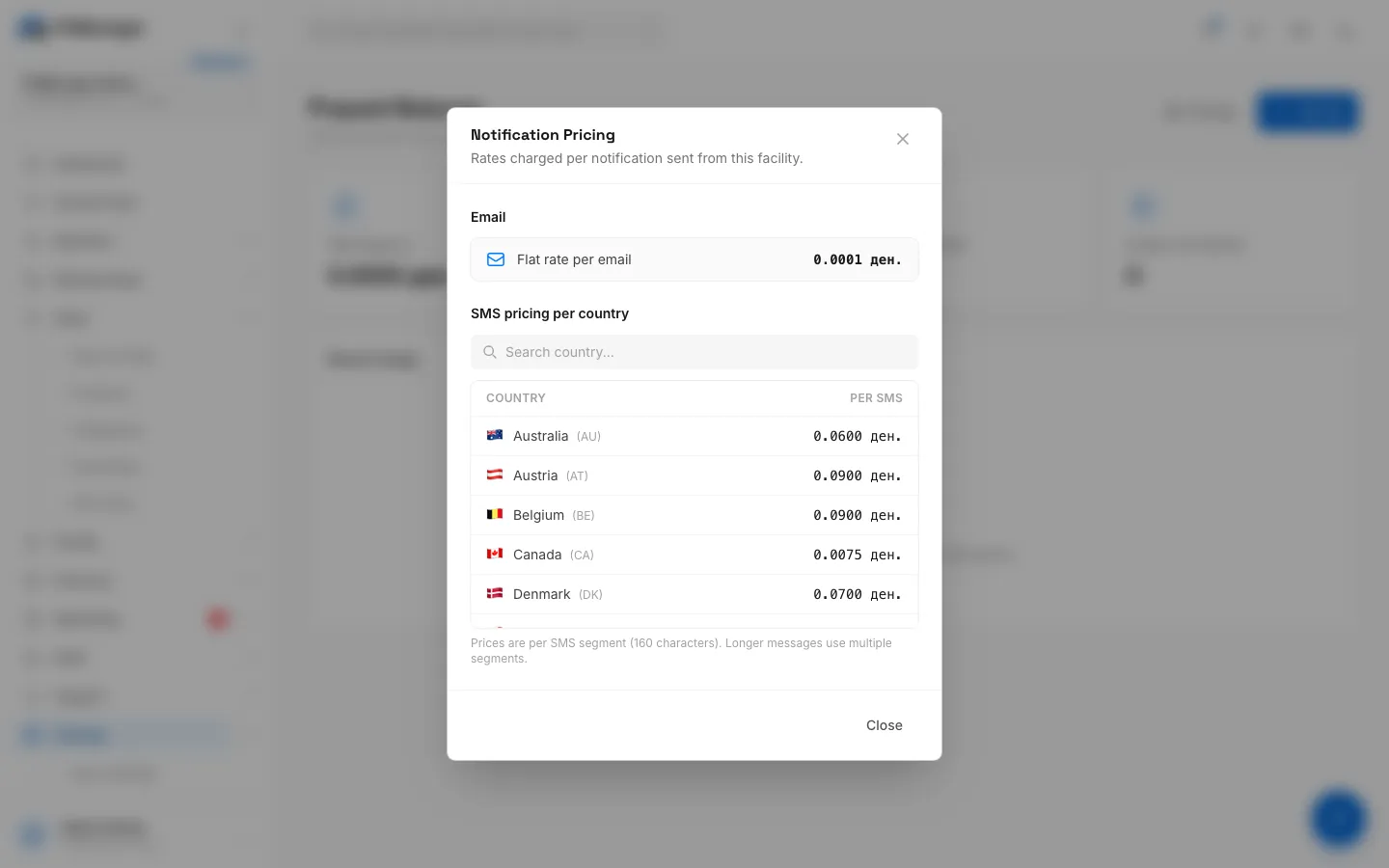
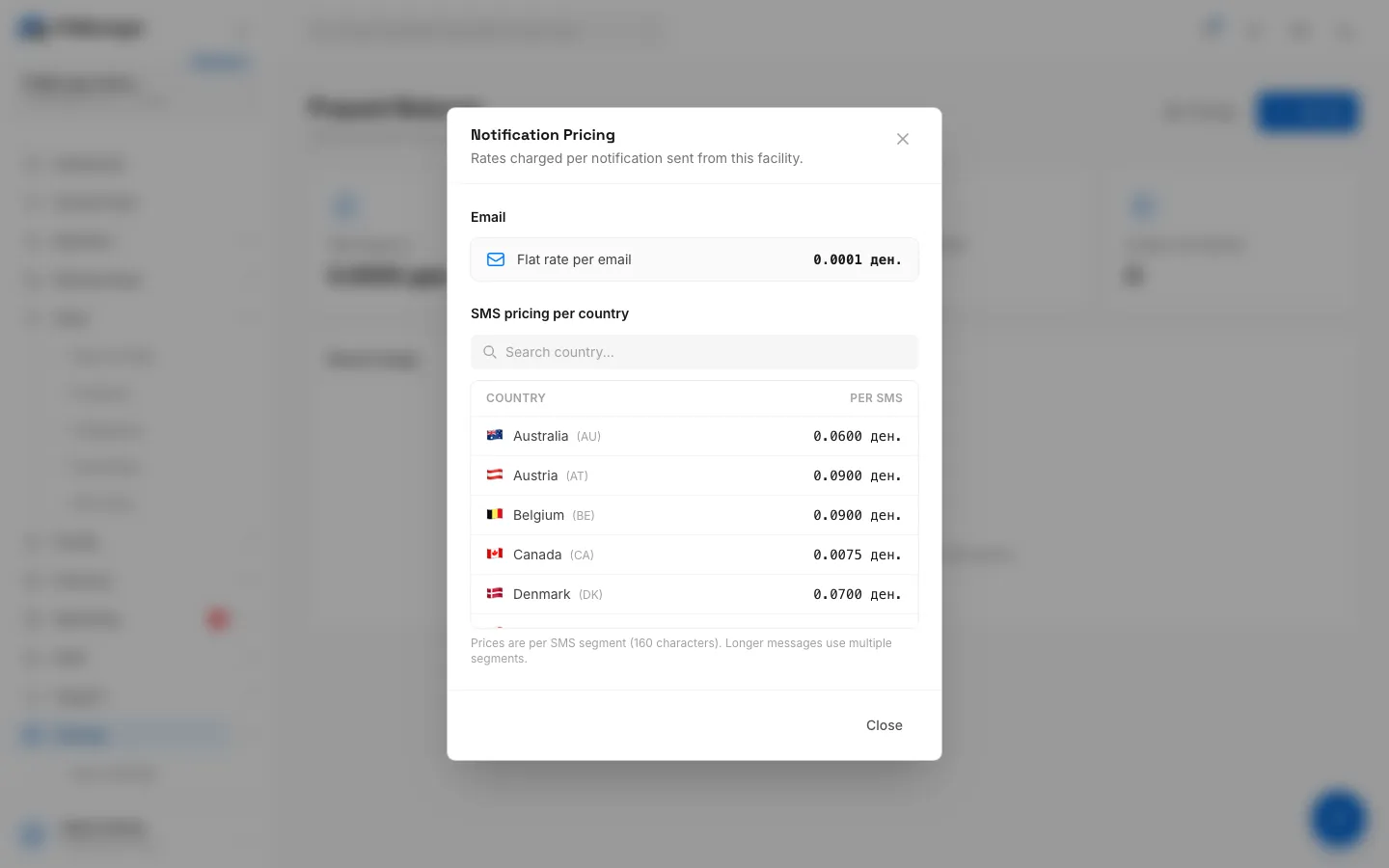
- Step 4: To see what a text costs, click Pricing.
- Step 5: Type a country in Search country to find it in the list.
- Step 6: Each row is the price of one SMS to that country. It is charged per 160 character segment, so a longer text counts as two or more.
What an SMS costs
Click Pricing to open Notification Pricing. The SMS pricing per country list shows the price of one SMS for each destination country; type in Search country... to find yours. The price is charged per SMS segment of 160 characters, so a longer message counts as two or more.
Each sent SMS is taken off the SMS Balance right away, using the price for the member's country. A message that fails is not charged.
Top up
- Click Top Up.
- Enter the amount to add in SMS Credits. Under the field you see the current balance. Email Credits can stay empty.
- Click Top Up.
The amount is added to the balance at once and Last topped up shows the time. No card payment is taken on this page, so agree with FitManager support how SMS credit is billed for your gym before you rely on it.
Sending does not stop when the balance reaches zero. The balance can go below zero, so keep an eye on SMS Balance and top up in time.
Troubleshooting
A member did not get a text
- Check that SMS is switched on for that message on the notifications page and that you saved.
- Check that the member has a phone number and has not switched off SMS reminders in the portal.
- Look for the message in Recent Usage. Failed with no cost usually means the number could not be used or the gateway rejected it. Fix the number on the member's profile.
Why is the SMS column greyed out?
Your plan does not include SMS. See What's on my plan.
Do I need a Twilio or other SMS account?
No. FitManager sends SMS through its own gateways and picks the right one for each country. You never enter SMS credentials.
Was this page helpful?
Related articles
Still stuck?
Write to us and we will get back to you within one working day.